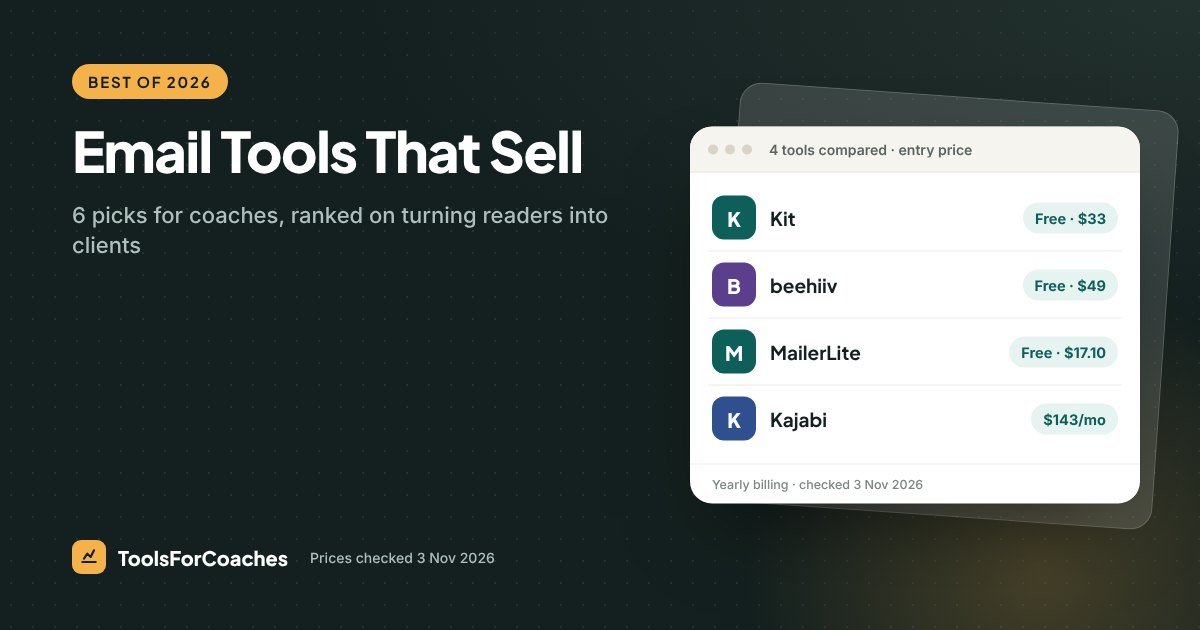
Before writing a word of this guide, I opened the pricing pages for Kit, beehiiv, MailerLite, Kajabi and Podia (3 Nov 2026) and checked every number. The free plans differed wildly: Kit’s held 10,000 subscribers, beehiiv’s 2,500, and MailerLite’s had shrunk to 250. But the line I went looking for on each page was automations. That’s where the best email marketing software for coaches pulls ahead, because automations are what take someone who downloaded your free guide in March to a discovery call in May.
Every email tool can send a newsletter. That’s the easy part. Selling is the harder job, and it’s how I ranked the six picks below. My background is growth and product work for SaaS companies, not coaching, so I read a pricing page for where the selling features get held back. That tells you more about fit than any feature list does.
All prices below come from those vendor pages. We re-check every month.
Kit Creator is the best email tool for coaches who sell programs; start on Kit’s free plan until your first automation isn’t enough.
- Selling programs through a welcome sequence → Kit Creator
- Brand-new list, $0 budget → Kit Free ($0 up to 10,000)
- Already paying for Kajabi → use its built-in email before you buy anything else
Why “selling, not sending” changes the ranking
Most “best email tool” lists rank on how many templates there are, how pretty the editor is, or how big the free plan is. Those things matter a bit. They don’t get you clients.
For a coach, email earns its keep in three moments:
- The welcome. Someone joins your list. A short series of emails introduces you, shares a useful idea and invites them to book a call.
- The launch. You open a group program. A few emails over a week explain it, answer doubts and close the doors.
- The nudge. Someone clicks a link about your 1-to-1 package but doesn’t book. A follow-up lands two days later.
All three are automations. A tool that sends a lovely weekly newsletter but can’t run these well is a sending tool. So our ranking puts the most weight on automations and sequences, then on price as your list grows, then on how well the tool fits with what a coach already uses.
The pattern that made me rank it this way
One email setup comes up again and again when coaches ask me for help. Say her name is Dana: a business coach with a little under 2,000 subscribers, built over three years with a good free guide and steady posting. She emails every Friday, her open rates are healthy, and she can’t say when the list last brought in a client. Open the account and the reason is plain. Every subscriber gets the same Friday email forever, with no welcome series and no follow-up when someone clicks “work with me”.
The fix I suggest is small: one five-email welcome sequence and one follow-up for people who click her coaching page. Discovery calls can then start coming from people who’ve sat on the list for a year without ever replying. The list was never the problem. The missing automations were.
That’s why the number one pick below isn’t the cheapest or the prettiest. It’s the one that makes those automations easiest.
The 6 best email marketing tools for coaches, ranked
1. Kit Creator: best for coaches who sell programs
- Best for: coaches selling 1-to-1 packages, group programs or courses through email.
- Price: $33/mo yearly ($39 monthly) at 1,000 subscribers · $65.83/mo yearly ($79 monthly) at 5,000 · $92.50/mo yearly ($111 monthly) at 10,000.
- One-line verdict: the most coach-friendly set of selling automations at a fair price.
- Skip it if: you only send a weekly newsletter and never plan to sell through email.
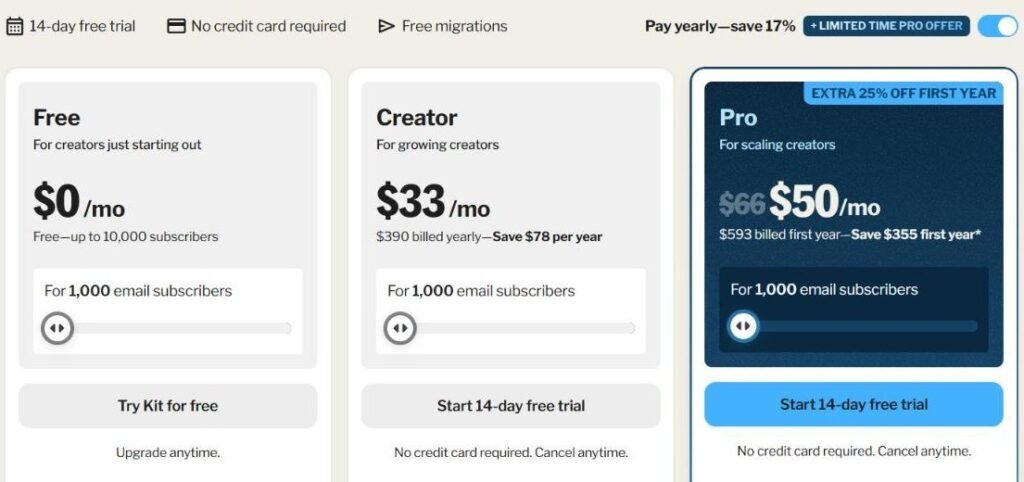
Kit, the tool formerly called ConvertKit, was built for people who sell their own work online. That shows in how it thinks. Subscribers carry tags, like “downloaded the burnout guide” or “clicked the group program page”. Automations react to those tags. A visual builder shows the path someone takes from sign-up to sale.
For a coach, that means you can set up a welcome sequence once, add a branch for people who show interest in a specific offer, and leave it running. It’s the closest thing to having an assistant who follows up for you.
The price climbs with your list. That’s normal for email tools, but it’s worth seeing before you commit. Going from 1,000 to 5,000 subscribers roughly doubles the bill on yearly billing. Going from 5,000 to 10,000 adds about another $27 a month.
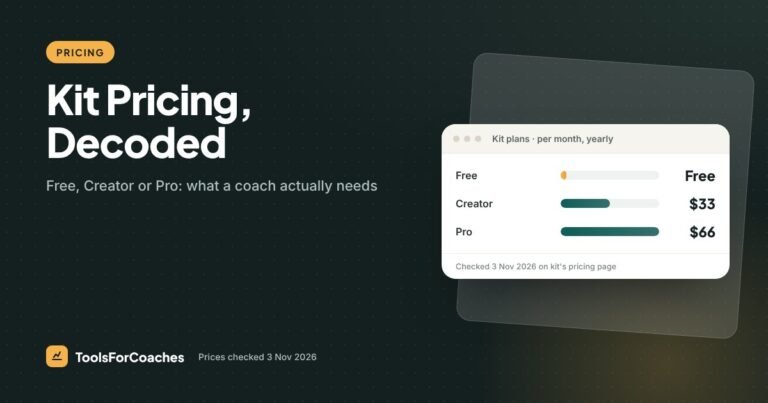
Where Kit falls short: the newsletter side is fine but plain. If you want an ad network, a built-in referral program or a website-style newsletter archive, beehiiv does those better. And Kit’s Pro plan, at about $66/mo yearly for 1,000 subscribers, is more than most solo coaches need.
For the full plan breakdown, read our Kit pricing guide.
2. Kit Free: best place to start from zero
- Best for: new coaches building a list from scratch.
- Price: $0 up to 10,000 subscribers.
- One-line verdict: the biggest free list limit here, with just enough automation to run a welcome series.
- Skip it if: you need more than one automation, or you need your email tool to connect to other apps.
Kit’s free plan lets you grow to 10,000 subscribers without paying. That’s a lot of room. Most coaches take a long time to reach that number.
The fence is in the automations. You get one automation and one sequence. That’s enough for a single welcome series that ends with a booking link, which is exactly what a new coach needs first. It’s not enough for a welcome series plus a launch sequence plus a follow-up for clickers.
Two other limits matter. Kit branding appears on your emails and forms. And there are no app integrations, so you can’t automatically add new clients from your scheduler or course platform to your list.
Here’s how I’d use it. Build your list and your one welcome sequence on the free plan. The day you want a second automation, like a launch sequence for a group program, move to Creator. Your list, forms and sequence come with you because it’s the same tool. No migration.
That smooth upgrade path is why it ranks above cheaper or bigger free plans. If you’re just starting, our guide on how to start an email list as a coach walks through the first 100 subscribers.
3. MailerLite: best budget pick once you’re past free
- Best for: coaches on a tight budget who still want proper automations.
- Price: free plan for 250 subscribers and 2,500 emails a month · Comfort $17.10/mo yearly ($19 monthly) at 1,000 subscribers, with up to 50 automations · Power $35.10/mo yearly ($39 monthly) at 1,000, with unlimited automations.
- One-line verdict: solid automations for less money, with a free plan that’s now too small to grow on.
- Skip it if: you want to grow a list for free for a long time.
MailerLite has long been the “good and cheap” option. Its automation builder is clear and visual, its editor is easy, and its paid plans start low. For a coach who wants a working welcome sequence and a launch sequence without paying Kit prices, it’s a fair choice.
The 2026 change hurt, though. MailerLite cut its free plan to 250 subscribers and 2,500 emails a month. That’s a small list. If you email 250 people weekly, you’ll use about 1,000 of your monthly sends, so the email limit is fine. The subscriber limit is the problem. A good free guide can pass 250 sign-ups quickly.
So think of MailerLite as a paid tool with a short free trial built in, rather than a free tool. Once you’re paying, it costs less than Kit Creator. At 1,000 subscribers, Comfort is $19 a month on monthly billing, against $39 for Kit Creator billed monthly. On yearly billing it’s $17.10 against Kit’s $33.
Where MailerLite loses to Kit: its tagging and audience logic is a little less built around “creator selling a product” thinking. It does the job. Kit just makes the selling flows feel more natural to set up. We dig into this in MailerLite vs Kit.
4. beehiiv: best for coaches whose newsletter is the product
- Best for: coaches who publish a regular newsletter as their main marketing, and may earn from it directly.
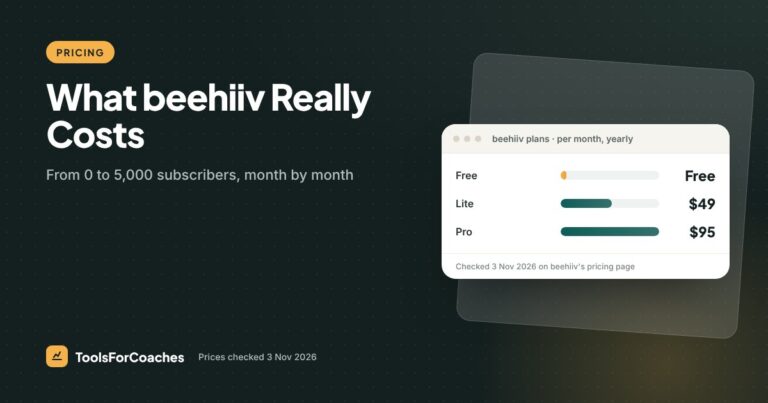
- Price: Free $0 up to 2,500 subscribers · Lite $49/mo billed yearly at 1,000 subscribers, adding automations, ad money and paid subscriptions · Pro $95/mo billed yearly at 1,000, adding webinars and no beehiiv branding · both rise with list size.
- One-line verdict: the best publishing tool here, with lighter selling automations than Kit.
- Skip it if: your email is mainly there to sell programs through sequences.
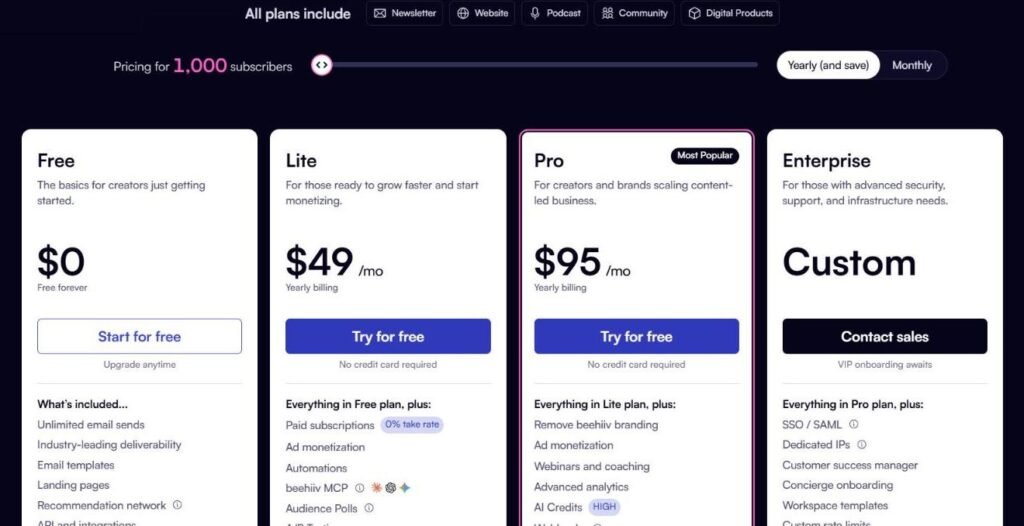
beehiiv was built for newsletters. It has an ad network, so you can earn from sponsors. It has a referral program, so readers can be rewarded for sharing. It has boosts, a way to grow by recommending other newsletters. And it gives you a clean web archive of every issue, which works almost like a blog.
If you’re a coach whose brand is “the person who writes that great weekly email about career change”, beehiiv fits beautifully. The Free plan, up to 2,500 subscribers, is also generous.
The trade-off is in the selling. beehiiv’s automations start on Lite and are less deep than Kit’s. You can run a welcome series, but the branching, tagging and “if they clicked this, send that” logic coaches use to sell is more limited.
Watch the price jump, too. beehiiv Free covers 2,500 subscribers. The paid Lite plan is $49/mo yearly at 1,000. So if you outgrow the free plan’s features before you outgrow its subscriber limit, you’ll pay more than Kit Creator ($33) for a similar list.
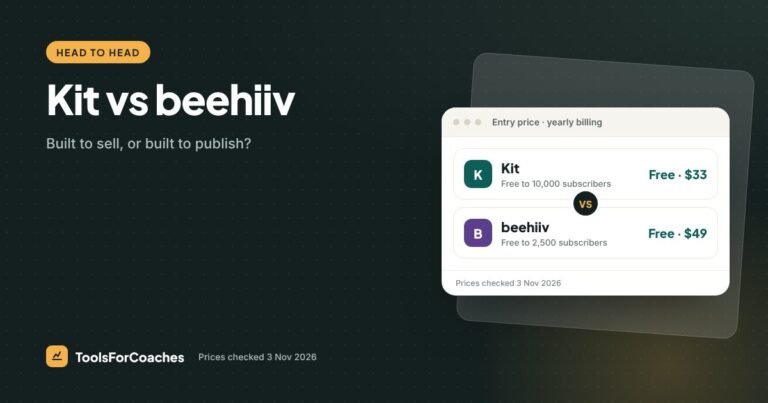
We compare the two head to head in Kit vs beehiiv.
5. Kajabi email: best if you’re already paying for Kajabi
- Best for: coaches who already run courses, a website or a community on Kajabi.
- Price: included in Kajabi Basic at $143/mo yearly ($179 monthly) for up to 2,500 contacts, along with website, funnels and community. There’s no Kajabi transaction fee when you use Kajabi Payments; check the surcharge if you plan to connect your own Stripe account. Past 2,500 contacts, you need Growth at $199/mo yearly.
- One-line verdict: good enough that you shouldn’t pay for a second email tool on top.
- Skip it if: you’re not on Kajabi. $143 a month is far too much to pay just for email.
Kajabi bundles email marketing into its plans. You can send broadcasts, build sequences and tie them to purchases inside the same system. Someone buys your course, and they’re tagged and moved into the right sequence automatically. Because it all lives in one place, that link between “bought” and “emailed” is tight.
Is it as flexible as Kit? Not quite. Kit’s automation builder has more depth for complex flows. But for most coaches, Kajabi’s email does the welcome, the launch and the nudge well enough.
A common mistake is paying for Kajabi and Kit at the same time. That’s about $176 a month or more for overlapping jobs. If you’re on Kajabi, try running your email there for one launch before paying for anything else.
If you’re not on Kajabi, don’t join it for the email. The worked example from our course platform research shows why: Thinkific Start at $82 plus Kit Creator at $33 comes to $115 a month, against $143 for Kajabi Basic. That’s $336 a year more for Kajabi, which also caps you at 2,500 contacts and 5 products. Pair Thinkific with Kit’s Free plan instead and the gap grows to $732 a year. See Kajabi pricing for the full picture.
6. Podia email: best for a small list bundled with your products
- Best for: coaches who sell a few digital products on Podia and have a small list.
- Price: included in Podia plans · Mover $42/mo yearly · Shaker $84/mo yearly · Earthquaker $150/mo yearly · check the email subscriber allowance on Podia’s page.
- One-line verdict: simple and handy, but you pay platform prices for your email.
- Skip it if: your list is already past a few hundred people, or email is your main way to sell.
Podia is a simple all-in-one: products, a storefront, a community and email in one place. For a coach who wants as few logins as possible, that’s appealing. The email side is easy to use and connects to your Podia sales.
The catch is the price per subscriber. The cheapest plan, Mover, is $42 a month on yearly billing, and Podia sets an email subscriber allowance for each plan, so check it against your list before you rely on it. Compare that with Kit Creator at $33 a month for 1,000 subscribers, or Kit’s Free plan up to 10,000.
Mover also carries a 5% transaction fee on sales, which adds up quickly. On $1,000 of monthly sales, that’s $50 a month to Podia, on top of card processing.
So Podia email makes sense if you’re already on Podia, your list is small, and you value one simple tool over room to grow. Otherwise, a dedicated email tool will be cheaper per subscriber.
Comparing the best email marketing software for coaches side by side
Here are all six on the factors that matter for selling, plus the price at the list sizes we could verify.
| Tool | Free plan | At 1,000 subscribers | At 5,000 subscribers | Selling automations | Best for |
|---|---|---|---|---|---|
| Kit Creator | Yes (Free plan) | $33/mo | $65.83/mo | Deep | Selling programs |
| Kit Free | $0 up to 10,000 | $0 | $0 | 1 automation, 1 sequence | Starting out |
| MailerLite | 250 subscribers | $17.10/mo (Comfort) | Check slider | Good | Budget |
| beehiiv | $0 up to 2,500 | $0 on Free, or $49/mo on Lite | Lite, price rises with list | Lighter | Newsletter-first |
| Kajabi email | No | Inside Basic, $143/mo | Needs Growth, $199/mo | Good | Kajabi users |
| Podia email | No (14-day trial) | From $42/mo (check email allowance) | Check Podia’s page | Basic | Small lists on Podia |
And here’s the cost of 1,000 subscribers in picture form, for the tools where we have a verified number.
Two notes on that chart. The free plans look the same, but they aren’t: Kit Free gives you one automation and no integrations, while beehiiv Free is built around publishing. And Kajabi is a full platform, so you’re comparing an email tool with a whole business system. If you need the rest of that system, the numbers look very different. Podia is left off because we couldn’t confirm its email allowance at 1,000 subscribers.
How the price grows as your list grows
The number on day one is less important than the number in two years. Email tools charge by list size, so a cheap start can turn into a big bill. Here’s how Kit, our top pick, scales on yearly billing.
| List size | Kit Free | Kit Creator | Kit Pro |
|---|---|---|---|
| Up to 1,000 | $0 | $33/mo | ≈ $66/mo |
| Up to 5,000 | $0 | $65.83/mo | $132.50/mo |
| Up to 10,000 | $0 | $92.50/mo | Check vendor page |
A useful way to think about it: at 5,000 subscribers, Kit Creator costs about $790 a year. If your list brings in even one or two clients a year, it pays for itself many times over. If it brings in none, the problem isn’t the price. It’s the missing automations, like Dana’s Friday-only list above.
The upgrade trap to avoid
Coaches often clean their list only when the bill jumps. Do it sooner. Remove people who haven’t opened anything in six months or more, after one last “still want these?” email. A smaller, warmer list costs less and sells better. It’s the cheapest pricing trick in email marketing, and almost nobody uses it on a schedule.
The one feature that decides your upgrade
Across every tool on this list, the moment you start paying is almost never about subscriber count. It’s about automations. Coaches hit the wall when they want to run a second flow alongside the first.
On Kit’s free plan, that wall is exact: one automation and one sequence. On beehiiv, automations start on Lite, and then it’s the depth of what they can do. On MailerLite, it’s usually the 250-subscriber cap arriving first. On Podia, it’s the email allowance on your plan.
Before you upgrade: write down the second automation you want, step by step, on paper. If you can’t describe it in five lines, you’re not ready to pay for it yet. If you can, you’ll know exactly which plan does it, and you won’t buy a tier you don’t need.
This is how pricing pages are designed to work. The free plan gives you enough to see results from one flow, then charges you for the second. That’s fair. Just make sure the second flow is real before you pay for it.
Also considered, and why they didn’t make the six
Mailchimp. Still the most famous name. For coaches, its free plan has become very limited, and the price climbs fast as you add subscribers and features. It’s a general small-business tool, not one shaped around selling programs. We’d pick any of the six above first.
GetResponse. A capable all-rounder with automations, landing pages and webinars. It’s a reasonable option if you want webinars bundled in. It didn’t make the list because the top picks do the coaching-specific jobs more simply. Check its current pricing on the vendor page.
HoneyBook and Dubsado. These CRMs can send emails to clients, but they aren’t list-building or marketing tools. Use them for client admin and pair them with one of the six. Our best CRM for coaches guide covers that side.
Which email tool for which kind of coach
Here’s how I’d choose, by where you are right now.
Just starting, no list yet
Kit Free. Build one welcome sequence that ends with a booking link. Don’t pay anything until you need a second automation.
Selling 1-to-1 packages with a list of a few hundred to a few thousand
Kit Creator. The tag-based automations let you follow up with people who show interest in a specific offer. That’s where email turns into booked calls.
Running group programs with launches
Kit Creator again, or Kajabi email if you already host your program on Kajabi. You need launch sequences with clear start and end dates, and both handle those well.
Writing a weekly newsletter that people forward
beehiiv. Its referral program and web archive help a good newsletter grow on its own. Add a simple booking link at the bottom of each issue and accept that the selling side is lighter.
Watching every dollar
Kit Free while you’re under its one-automation limit. When you outgrow it, compare Kit Creator with MailerLite Comfort at your exact list size, and pick the one that’s cheaper for the automations you actually use.
Already on Podia with a tiny list
Stay on Podia email until you’re near your plan’s email allowance. Then compare the cost of a Podia upgrade with a separate Kit account. The separate tool usually wins on price per subscriber.
How I ranked these
We didn’t rank on looks or template counts. Here’s what we weighted, roughly in order of importance:
- Selling automations. How easily a solo coach can build a welcome series, a launch sequence and a click-based follow-up. This carried the most weight.
- Price as the list grows. Not just the entry price, but the cost at 1,000, 5,000 and 10,000 subscribers, taken from vendor pricing pages on 3 Nov 2026.
- The free plan’s fence. Where the free plan stops, and whether upgrading means a painful move or a simple switch in the same tool.
- Fit with a coaching stack. Whether it connects to schedulers, course platforms and payment tools coaches use.
- Ease for a non-technical solo coach. Can you set up a sequence on a Sunday afternoon without help?
This is informed analysis, not a lab test. I’ve worked on how SaaS products like these are priced and packaged, and coaches regularly ask me to look over their email setups. I haven’t run identical campaigns through all six tools side by side, and I’d be wary of anyone who claims a fair test like that is easy to do. Where a fact isn’t on a vendor’s pricing page, we say so.
No vendor paid for a ranking. Some links on this page are affiliate links, which means we may earn a fee if you sign up. It doesn’t change the order. Kit Free, a plan we earn little or nothing from, sits at number two because it’s the right place for most coaches to start.
What I’d do
If I were a coach setting up email today, I’d open a free Kit account, make one sign-up form for my best free resource, and write a five-email welcome sequence. Email one delivers the resource. Emails two to four share one useful idea each. Email five invites them to book a call. That’s it.
I’d stay free until I wanted a second automation, usually when planning my first group program launch. Then I’d move to Kit Creator at $33 a month on yearly billing and build the launch sequence. And every six months, I’d clean the list before the bill does it for me.
If your newsletter is the heart of your brand, swap Kit for beehiiv and accept lighter selling tools. If you’re already on Kajabi, use what you’ve paid for. Everyone else: start with Kit.
Email marketing for coaches: your questions
What is the best email marketing software for coaches?
For coaches who sell programs or packages, Kit Creator is our top pick because its automations are built for selling. It costs $33 a month on yearly billing at 1,000 subscribers. New coaches can start on Kit’s Free plan, which covers up to 10,000 subscribers.
What is the best free email marketing tool for coaches?
Kit’s Free plan costs $0 up to 10,000 subscribers, with one automation and one sequence. beehiiv’s Free plan costs $0 up to 2,500 subscribers and suits newsletter-first coaches. MailerLite’s free plan is now just 250 subscribers.
Is Kit or beehiiv better for coaches?
Kit is better if you sell programs through email, because its automations and tagging go deeper. beehiiv is better if your newsletter is the product, thanks to its ad network, referral program and boosts. Many coaches who sell 1-to-1 work will be happier on Kit.
Do I need email marketing if I use Kajabi?
Usually not. Kajabi Basic includes email marketing for up to 2,500 contacts, and it ties emails to purchases inside the same system. Try running a launch through Kajabi’s email before paying for a separate tool on top.
How many subscribers does a coach need before email pays off?
There’s no magic number. A small list with a good welcome sequence can book calls, while a big list with no automations may book none. Focus on one sequence that ends with a clear invitation, then grow the list.
Is MailerLite still free?
Yes, but the free plan was cut in 2026 to 250 subscribers and 2,500 emails a month. That’s enough to learn the tool, not to grow on for long. Paid plans start with Comfort at $19 a month for 1,000 subscribers on monthly billing, or $17.10 on yearly billing.