When did you last check that every session you ran was signed for and paid for? If the honest answer is “not sure”, you’re who I wrote this for. Most coaches shopping for the best CRM for coaches don’t need a CRM in the sales-team sense. They need four jobs done without dropping a ball: a signed agreement, a paid invoice, a booked session and a place to keep notes. The right tool is the one that does those four jobs for your size of practice, and nothing you’ll pay for and ignore.
So this ranking is built around those four jobs. Seven picks, from a free spreadsheet to software made only for coaches. Each one has a price, the coach it fits, and the reason you might skip it.
For a solo coach selling 1-to-1 packages, Paperbell is the best CRM for the job, because it was built for exactly that.
- Under about 20 clients and tight on cash → Notion or Google Sheets, $0, plus a free booking tool
- You love building custom workflows → Dubsado Premier, $525/yr (workflows and scheduling are Premier-only)
- You run a team of coaches with complex client programs → look at CoachAccountable and test it on your own setup
The missed invoice that sold me on boring software
Most CRM questions I get trace back to the same pattern. A coach runs her practice from email, a calendar and a payment link. It works at six clients and breaks quietly at fourteen. One client pauses a paid package, another never signs anything, and a third books two extra sessions that never get invoiced. Nobody is cheating anyone. The system just has holes, and when she finally checks her bank statement, there are weeks of unpaid work spread across a quarter.
Coaches who reach me at that point rarely need a fancier tool. They need one place where “signed”, “paid” and “booked” live next to each other. That’s the bar every pick below has to clear.
The four jobs a coaching CRM has to do
Before the ranking, here’s the scorecard I used. If a tool can’t do at least three of these well, it isn’t on the list.
- Contracts. Send a coaching agreement and get an e-signature, ideally before the first session.
- Invoices and payments. Charge for a package, split it into instalments, and see who’s paid.
- Scheduling. Let clients book from the sessions they’ve paid for, not from an open calendar.
- Client notes. A private record of each session, kept with the client’s file.
A client portal is a nice fifth. It gives clients one link to see their sessions, files and invoices. It cuts the “can you resend that?” emails to near zero.
The best CRM for coaches: 7 picks, ranked
I’ve grouped the seven into three tiers, because they really solve three different problems. Tier one is built around coaching packages. Tier two is general client tools that coaches borrow. Tier three is the free and specialist end.
Tier one: built for how coaches sell
1. Paperbell: the coaching-only all-in-one
Best for: solo coaches selling 1-to-1 or group packages.
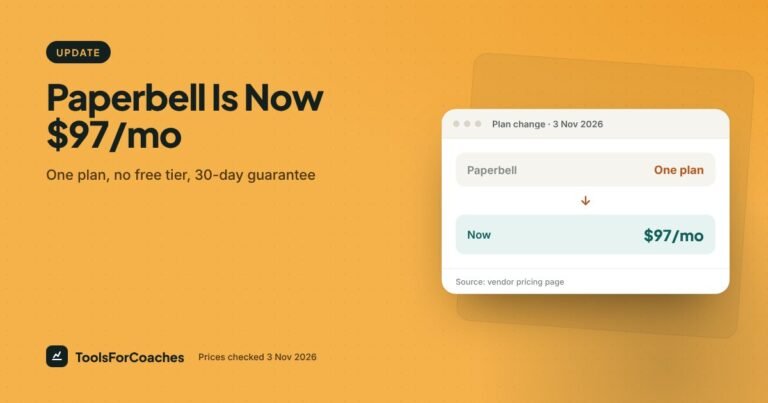
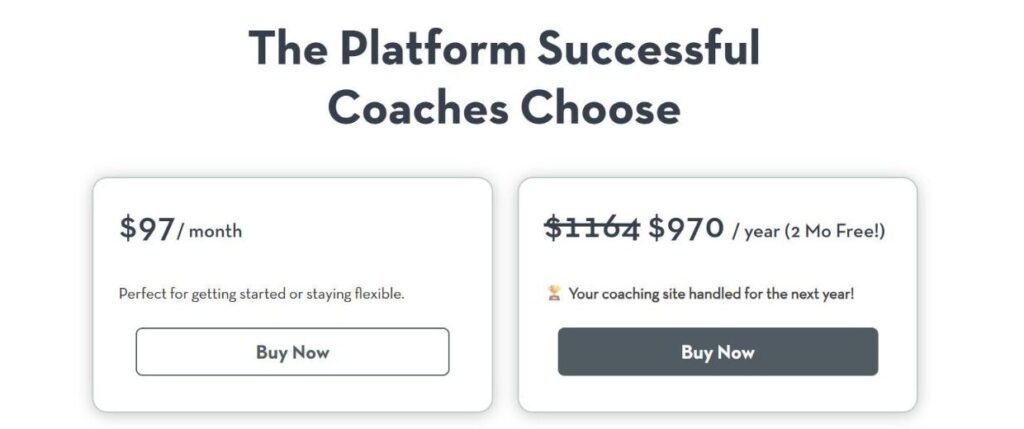
Price: $97/mo billed monthly, or $970/yr (about $80.83/mo, “2 months free”). One plan with everything included. No free plan, but there’s a 30-day money-back guarantee.
One-line verdict: the shortest path from “I’d like to work with you” to “booked, signed and paid”.
Paperbell does one thing other CRMs don’t. It starts from the package. You create “3-month coaching, 6 sessions” once. A client buys it, signs the contract, pays, and books session one, all in a single checkout. After that, they book the rest from their client portal, and Paperbell counts down the sessions left.
That’s the exact gap in the missed-invoice pattern above. A package that knows how many sessions are left can’t quietly overrun.
What you get on the plan:
- Unlimited clients and unlimited packages.
- Contracts signed through Dropbox Sign.
- Scheduling and payments in the same flow.
- A client portal.
- Group coaching support.
- No platform transaction fees on top of your card processor’s fee.
The price is the honest catch. At $970 a year, Paperbell is now the most expensive entry on this list. You’re paying for the joined-up flow, not for features you can’t find elsewhere. The 30-day money-back guarantee is your safety net: set up your full flow, run a real client through it, and ask for a refund inside the window if it doesn’t fit.
Skip it if: you sell mostly custom projects, retainers or workshops with quotes. Paperbell is shaped around packages. HoneyBook handles proposals and one-off projects better. Also skip it if you need deep custom workflows with lots of branches; that’s Dubsado’s ground.
We cover it in more depth in our Paperbell review.
2. CoachAccountable: for structured, multi-client programs
Best for: coaches running structured programs with worksheets, goals and action items, or small coaching teams.
Price: billed monthly by active clients: $20 for 2, $40 for 5, $70 for 10, $120 for 20 and $250 for 50. Unlimited coach seats. 30-day free trial.
One-line verdict: the deepest coaching-specific tool here for tracking client progress, but it feels like more software than a solo coach needs.
CoachAccountable leans into the coaching work itself. Think action items that clients tick off, metrics they track between sessions, worksheets, and session notes tied to each engagement. It also handles scheduling and invoicing.
Where it shines is accountability between sessions. If your method depends on clients doing homework and reporting back, it has tools for that which the general CRMs simply don’t.
The trade-off is the learning curve. It’s a big tool with a lot of screens. It’s easy for a solo coach to sign up, feel buried, and drift back to Google Docs. Give yourself a real setup afternoon before you judge it.
Watch the pricing model too. You pay by active client, not by coach, and coach seats are unlimited. That’s kind to a small team, and to a light book: 10 active clients is $70 a month, less than Paperbell’s $97 monthly. It’s less kind to a solo coach with a full book: 20 active clients is $120 a month, against $97 for Paperbell with unlimited clients.
Skip it if: your coaching is mostly conversation, and between-session tracking isn’t central to how you work. Paperbell is simpler and gets you paid faster.
Tier two: general client tools that coaches borrow
3. HoneyBook: the polished all-rounder
Best for: coaches who also consult, speak or run workshops, and send proposals.
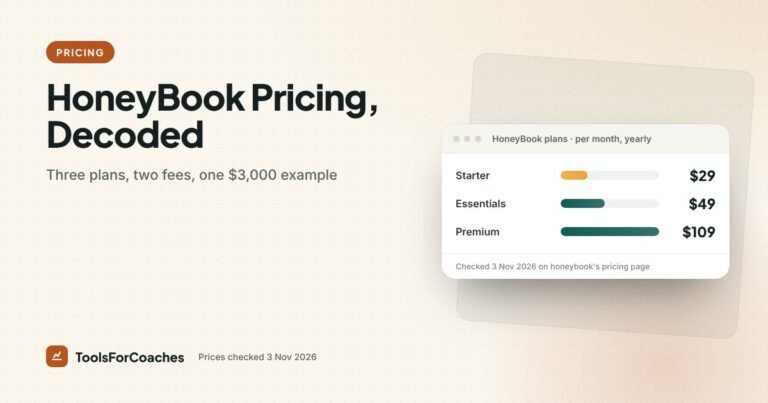
Price: Starter $29/mo yearly ($36 monthly). Essentials $49/mo yearly ($59 monthly). Premium $109/mo yearly ($129 monthly). Card processing is 2.9% + 25¢; ACH bank transfer is 1.5%.
One-line verdict: the nicest client experience on this list, as long as you watch the processing fees and the plan line-up.
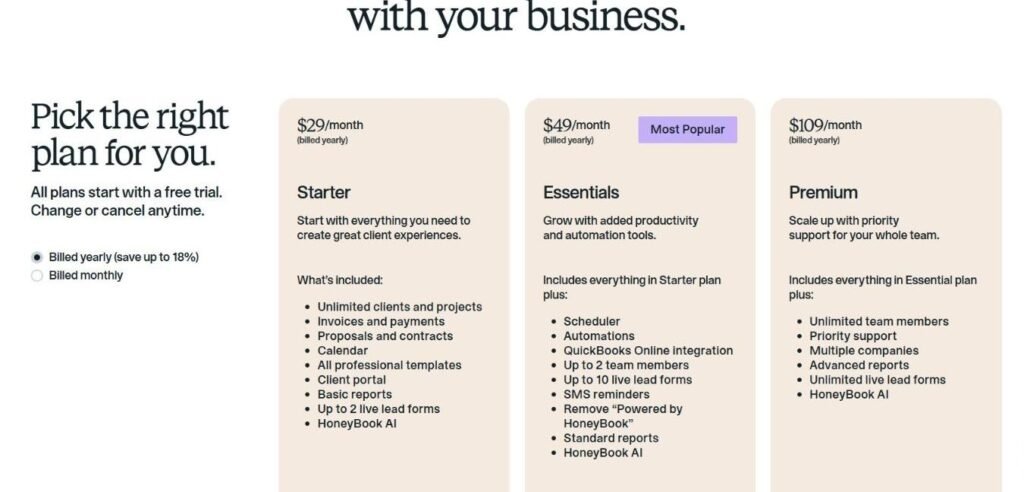
HoneyBook started with creative freelancers, and it shows in a good way. Proposals look smart. A client can read your offer, pick an option, sign and pay in one smooth flow. Starter covers contracts, invoices, payments, a calendar and a client portal. The Scheduler and automations are not on Starter. They start on Essentials at $49/mo yearly, which also adds QuickBooks Online and SMS reminders. For a coach who wants clients to book sessions, Essentials is the real entry point.
For a coach who also sells corporate workshops or consulting days, that proposal flow is the reason to choose it. Paperbell isn’t built for “here are three options for your team offsite”.
The catch is the fees. Every card payment carries 2.9% + 25¢. That’s in line with what most processors charge, but it adds up on bigger packages. ACH at 1.5% is much cheaper, so it’s worth nudging higher-value clients toward bank transfer.
Skip it if: you only sell coaching packages and want sessions tracked against what was paid. HoneyBook can do it, but Paperbell does it natively. Full plan detail is in our HoneyBook pricing guide.
4. Dubsado: for coaches who want it their way
Best for: process-minded coaches who want custom, branching workflows.
Price: Starter $35/mo monthly or $335/yr (about $27.92/mo). Premier $55/mo monthly or $525/yr (about $43.75/mo). Unlimited clients and 3 users. Prices rose in December 2025; grandfathered users kept their old rates.
One-line verdict: the most flexible tool here, and the one that asks the most of you up front.
On Premier, Dubsado lets you build workflows step by step. “When the contract is signed, send the welcome form. Two days later, send the intake questions. Three days before session one, send a reminder with the prep worksheet.” You can make it do almost anything.
That flexibility is the reason people love it, and also the reason people give up. Setup takes real time. Some coaches pay someone to build their Dubsado system for them.
Its free trial is generous on time, but you can only use it with 3 clients. That’s enough to test your full flow properly before you commit.
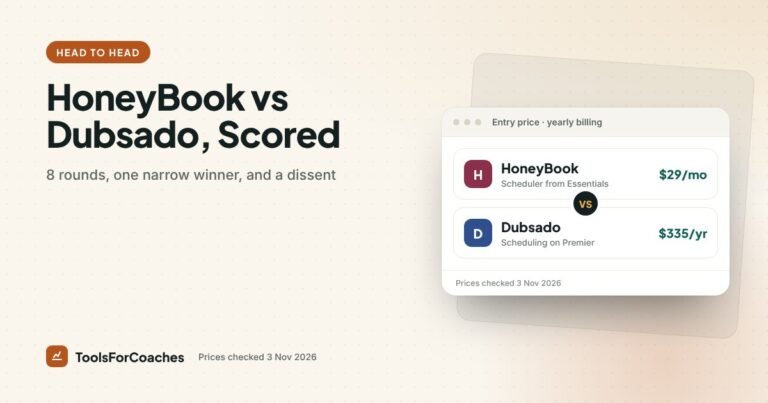
Know which plan you need. Scheduling and automated workflows are Premier-only. Starter gives you unlimited clients and projects, invoicing and payment plans, forms and email templates. At about $27.92/mo yearly, it’s the cheapest paid tool on this list, but it’s a paperwork tool, not the system described above. For the workflows people buy Dubsado for, budget for Premier at about $43.75/mo yearly. That’s still less than Paperbell.
Skip it if: you want to be up and running this weekend. Also skip it if you’d rather not think about automation logic at all. See our HoneyBook vs Dubsado scorecard for how the two compare in detail.
5. Bonsai: for coaches who think like freelancers
Best for: coach-consultants who want contracts, invoices and tax help in one place.
Price: I couldn’t verify current pricing for this update. Check Bonsai’s own page.
One-line verdict: strong on the money side, thinner on the coaching side.
Bonsai is a freelancer’s back office. Its strengths are contracts, proposals, invoices and help tracking income and expenses for taxes. If you bill by the project or by the hour as much as by the package, it fits that mindset well.
What it lacks is the coaching shape. There’s no built-in idea of “six sessions, four left”. You can track it, but you’ll do more by hand.
Skip it if: your income is mostly coaching packages. Paperbell or HoneyBook will feel more natural.
Tier three: the free end of the scale
6. Notion: the $0 to $10 CRM you build yourself
Best for: organised coaches with under about 20 clients who like making their own systems.
Price: Free plan available. Notion Plus is $10/mo on yearly billing.
One-line verdict: the most flexible place to keep client notes, and the worst place to chase a payment.
A simple Notion setup goes a long way. One database of clients. One linked database of sessions. A template for session notes. Status tags for “lead”, “active”, “paused” and “finished”. It can look as tidy as any paid tool.
But Notion doesn’t send contracts, take payments or let clients book. You’ll pair it with a booking tool, a payment link and an e-signature app. That’s fine at ten clients. At thirty, the gaps between those tools are where things get lost, just like in the story above.
Skip it if: you’re past about 20 active clients, or you hate building systems. We have a full guide to Notion for coaches, with when to stop.
7. Google Sheets: the honest starting point
Best for: brand-new coaches with a handful of clients.
Price: $0.
One-line verdict: not a CRM, but often all you need for the first few months.
A spreadsheet with one row per client and columns for package, sessions used, paid, contract signed and next session date. That’s a real system. It’s ugly. It works.
The danger isn’t that a spreadsheet is too simple. It’s that it never reminds you of anything. It won’t nudge you that a contract is unsigned or an invoice is late. You have to look. Most coaches outgrow it the first time they forget to look.
Skip it if: you already have more than a handful of active clients, or you’ve ever forgotten to invoice someone. That’s the point where a tool that sends reminders for you earns its fee.
The best CRM for coaches, compared side by side
| Tool | Entry price | Contracts | Payments | Scheduling | Client portal |
|---|---|---|---|---|---|
| Paperbell | ~$80.83/mo ($970/yr) · $97 monthly · no free plan | Yes (Dropbox Sign) | Yes, no platform fee | Yes, tied to packages | Yes |
| CoachAccountable | $20/mo for 2 active clients, up to $250 for 50 (monthly) | Check vendor | Yes | Yes | Yes |
| HoneyBook Starter | $29/mo yearly · Essentials $49 | Yes | Yes, 2.9% + 25¢ cards | Essentials and up | Yes |
| Dubsado Starter | ~$27.92/mo ($335/yr) · Premier ~$43.75 | Yes | Yes | Premier only | Yes |
| Bonsai | Check Bonsai’s pricing page | Yes | Yes | Limited | Check vendor |
| Notion | $0 · Plus $10/mo yearly | No | No | No | DIY |
| Google Sheets | $0 | No | No | No | No |
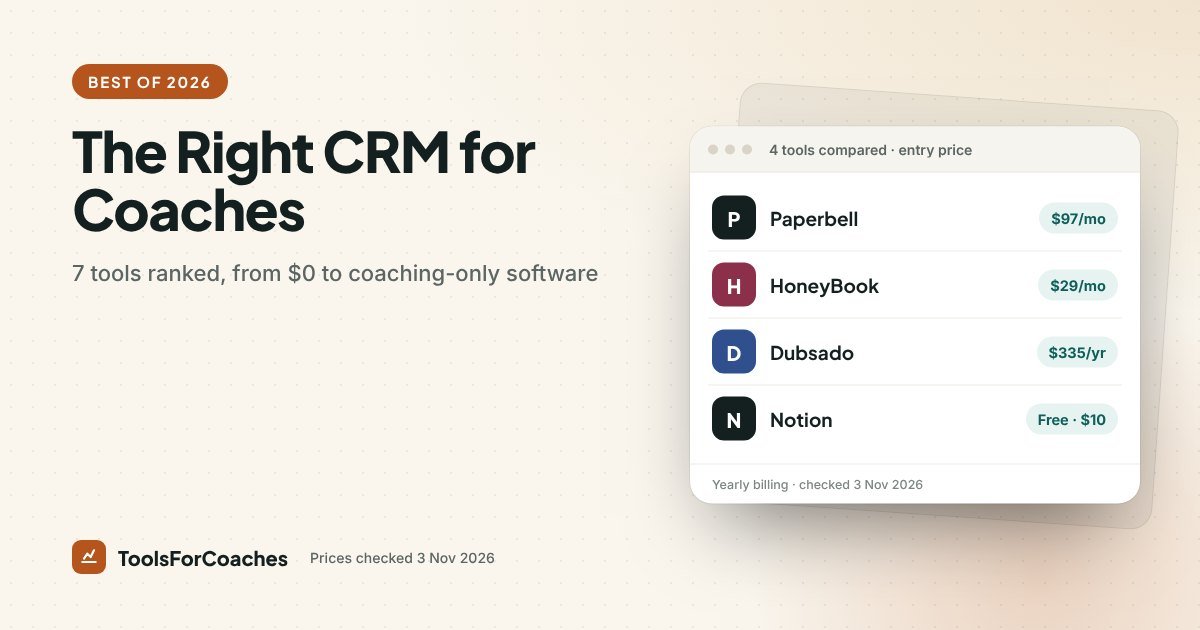
Read that chart with care. The two cheapest paid bars, Dubsado Starter and HoneyBook Starter, don’t include a scheduler. The cheapest plans that do are Dubsado Premier and HoneyBook Essentials. Paperbell is clearly the most expensive, and the gap is real. What it buys is scheduling built around packages, with no extra platform fee. To match it with Notion, you’d add a booking tool, a payment tool and an e-signature tool.
The real monthly bill: one tool vs a stack
The plan price is only the start. Here’s what the four jobs cost when you build them from separate tools, compared with tools that do them all. All prices use yearly billing where offered.
The DIY stack
- Notion Plus for client notes: $10/mo.
- Calendly Standard for booking with payment collection: $10/seat/mo. (Calendly’s free plan can’t take payments.)
- An e-signature tool for contracts: an extra monthly cost. Check your chosen tool’s page.
- Zapier to pass data between them, if you want any automation: Professional from $19.99/mo.
That’s $39.99 a month before you’ve paid for e-signatures, and you’ll spend time keeping four tools in sync. Against Paperbell’s $80.83, the stack is the cheaper bill: about $41 a month less, minus whatever your e-signature tool costs. What you’re weighing is that saving against the hours spent keeping four tools in step, and the leaks that happen in the gaps between them.
What processing fees add on top
Every tool here relies on a card processor, so fees are a cost you can’t avoid. You can only manage them. Say you sell a $1,500 coaching package:
- HoneyBook card payment: 2.9% + 25¢ = $43.75 per package.
- HoneyBook ACH bank transfer: 1.5% = $22.50 per package.
- Paperbell: no platform fee. You pay only your processor’s own fee, which for Stripe or PayPal is around 2.9% + 30¢.
Selling ten of those packages a year by card costs about $437.50 in HoneyBook processing. Moving half of them to ACH saves roughly $106. It’s not huge, but it’s a free win you get just by asking a client “would bank transfer work for you?”
Simple fee rule: for anything over a few hundred dollars, offer bank transfer as the first option and card as the backup. Most clients don’t mind, and the savings are yours.
What it costs to switch CRMs later
People pick a CRM as if it’s a lifetime choice. It isn’t, but switching does have a cost. Knowing that cost helps you pick well now.
- Client records move easily. Names, emails and notes usually export as a CSV.
- Contracts and invoices don’t move well. Download signed contracts and paid invoices as PDFs before you leave. Keep them for your records.
- Workflows don’t move at all. Any automation you built has to be rebuilt by hand. That’s why Dubsado users rarely switch: they’ve put hours into their setup.
- Active packages are messy. Moving a client halfway through a package means tracking their remaining sessions by hand. Switch between client cycles if you can.
The lesson: if you’re between two tools, pick the simpler one. It’s much easier to move from a simple setup to a complex one later than the other way round.
Paperbell vs HoneyBook: the two most coaches end up choosing between
For most solo coaches, the final choice comes down to these two. Here’s where each one wins.
- Packages that count down sessions automatically.
- Buy, sign, pay and book in one checkout.
- No platform transaction fees.
- One plan with everything included, so no tier guessing.
- Group coaching built in.
- Lower price: $49/mo yearly on Essentials with the Scheduler, against Paperbell’s $80.83.
- Better proposals for consulting, workshops and speaking.
- A more polished look for mixed-service businesses.
- Cheaper ACH payments at 1.5% for bigger invoices.
- More room to grow into non-coaching services.
A simple test: write down your last ten sales. If eight or more were coaching packages, choose Paperbell. If several were custom quotes or projects, choose HoneyBook.
Your first week with a new coaching CRM
Whichever tool you pick, set it up in this order. It saves you from building fancy automations before the basics work.
- Write your coaching agreement first. Cancellation policy, rescheduling window, payment terms, confidentiality. Put it in the tool as a template.
- Create your packages. Name, price, number of sessions, length of each session. Keep it to two or three to start.
- Connect your payment processor. Run a small test payment to yourself.
- Set your availability. Block the hours you actually want to coach, not every hour you’re free.
- Run yourself through as a client. Buy, sign, pay and book. Fix anything that confuses you.
- Move your current clients in. Add them with the sessions they have left. Don’t make them re-sign unless your terms changed.
- Only then add automations. A reminder email, a welcome form. One at a time.
Most coaches can finish steps one to six in a single afternoon on Paperbell or HoneyBook. On Dubsado, give it a weekend.
How I ranked these tools
My background is product and growth strategy. For six years I’ve helped software companies decide what goes in which plan and why, and these exact tool questions reach me from coaches all the time. That shaped how I ranked.
- Fit to the coaching shape first. Tools that understand packages and sessions ranked above tools that understand only invoices.
- All four jobs second. Contracts, payments, scheduling and notes. A tool that needed three add-ons to cover them dropped down.
- Real cost third. Not just the plan price, but the processing fees and the extra tools you’d need to fill gaps.
- Setup time last. A tool you never finish setting up costs you more than a pricier one that works on day one.
Every price comes from the vendor’s public pricing page, checked on 3 Nov 2026. We re-check monthly. Where I couldn’t verify a price, I’ve said so instead of guessing. I haven’t run a paid trial of each tool for this piece; this is analysis of what each vendor offers and how coaches commonly use them.
Mistakes I see coaches make when picking a CRM
These come up again and again.
- Buying for the business they hope to have. A coach with five clients doesn’t need Dubsado’s branching workflows. Buy for the next twelve months, not the next five years.
- Forgetting the client’s side. Your clients use this tool too. A clunky booking page or confusing invoice reflects on you. Run yourself through the flow as a client before you pick.
- Ignoring processing fees. On a big package, 2.9% + 25¢ on cards is real money. Know what you’ll pay per sale, and offer bank transfer where it’s cheaper.
- Stacking tools that overlap. If your CRM does scheduling, cancel the separate booking app. It’s common to find a coach paying for two schedulers and a CRM that includes a third. The reverse matters too: on HoneyBook Starter or Dubsado Starter, there’s no scheduler, so you’ll need one.
- Storing session notes in the wrong place. Client notes are sensitive. Keep them in one tool with a proper login, not scattered across email and phone notes.
A note on client privacy: your session notes may hold health, money or family details. Whatever tool you pick, use a strong password, turn on two-factor login if it’s offered, and don’t paste notes into tools you haven’t vetted. Check each vendor’s privacy and data pages for where data is stored.
What I’d do, by practice size
Here’s my straight answer, based on where you are right now.
- 0–5 clients, no budget: Google Sheets or Notion Free, plus a free booking tool that takes payments (see our free scheduling app guide). You’ll learn your flow before paying for anything.
- 5–20 clients, mostly packages: Paperbell at $970/yr. It’s the best CRM for coaches at this stage because it closes the gaps that cost you money. It’s the priciest pick here, so make sure most of your sales really are packages.
- 5–20 clients, mixed services: HoneyBook Essentials at $49/mo yearly, the first plan with the Scheduler and automations. Starter at $29 only works if you book sessions elsewhere.
- 20+ clients and you love systems: Dubsado Premier at $525/yr. Build it once, properly.
- Structured programs or a small team: trial CoachAccountable against Paperbell with one real client each.
If I could only give one coach one tool, it would be Paperbell. It’s the most expensive line on the chart. It’s the one most likely to stop the quiet leaks of unsigned contracts and uninvoiced sessions. For most coaches, plugging those leaks is worth far more than the plan costs.
Still deciding on the rest of your stack? Our guide to the best scheduling software for coaches covers booking tools, if you go the Notion route. You can see Paperbell’s plans at paperbell.com/pricing.
CRM for coaches: questions people ask
What is the best CRM for life coaches?
For most solo life coaches who sell packages, Paperbell is the best fit. It ties booking, payment, contracts and a client portal to each package. It costs $970/yr (about $80.83/mo) or $97 monthly. There’s no free plan, but there is a 30-day money-back guarantee.
Is there a free CRM for coaches?
Not among the dedicated tools here; Paperbell has no free plan. For a handful of clients, Notion’s free plan or Google Sheets work as a $0 CRM, but you’ll need separate tools for contracts, payments and booking.
Is HoneyBook or Dubsado better for coaches?
HoneyBook is easier and has smoother proposals; its Scheduler starts on Essentials at $49/mo yearly. Dubsado is more flexible, and its scheduling and workflows need Premier at $525/yr (about $43.75/mo), but it takes longer to set up. Pick HoneyBook for speed, Dubsado for control.
Do coaches really need a CRM?
Not on day one. With a handful of clients, a spreadsheet works. Once you have more than you can track in your head, a CRM pays for itself by catching unsigned contracts and uninvoiced sessions.
Can I use Notion as a CRM for coaching clients?
Yes, and it’s great for client notes. It works well for under about 20 clients. Notion doesn’t send contracts, take payments or handle booking, so you’ll pair it with other tools.
Does Paperbell charge transaction fees?
Paperbell charges no platform transaction fees on its plan. Your payment processor, such as Stripe or PayPal, still charges its own fee per sale.