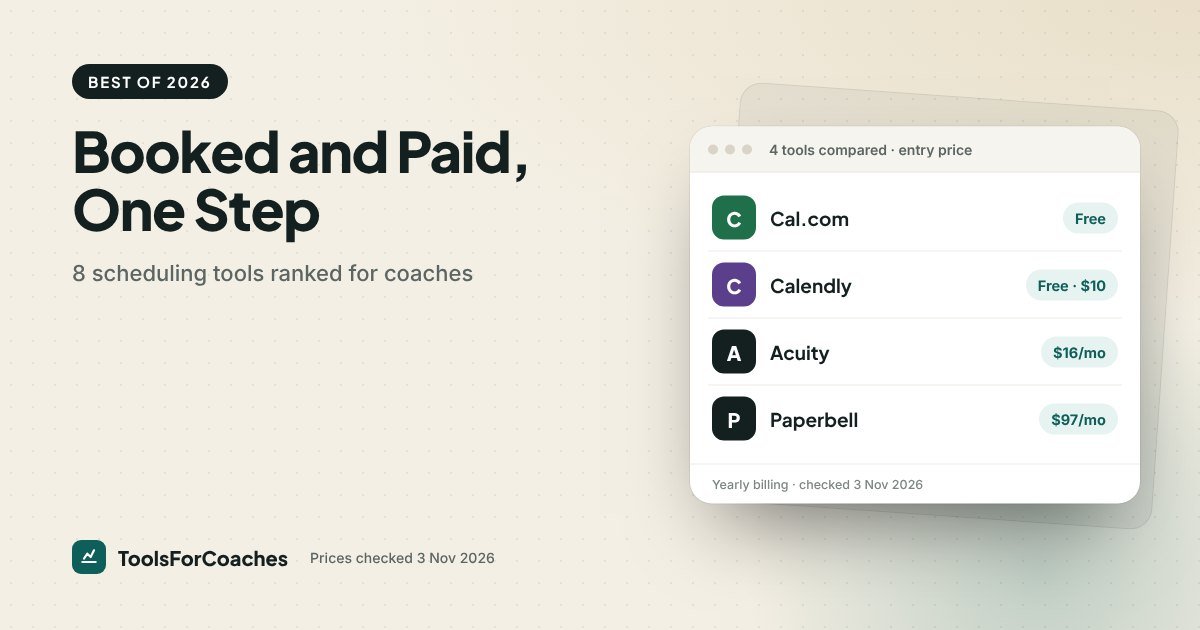
A stack of pricing pages, one evening, a lot of fine print. That was the check behind this guide to the best scheduling software for coaches, done on 3 Nov 2026. The line that stopped me was on Cal.com’s free Individuals plan: “accept Stripe & PayPal payments”. That’s the feature most free tiers hold back, and it’s why a $0 tool now tops this ranking.
About 75% of coaches already use a scheduling or billing tool, according to Capterra and Thinkific surveys from 2024. So the question isn’t whether you need one. It’s whether yours does the job that matters: a client picks a time and pays in the same step, with no invoice chasing after. Not the prettiest booking page. Not the longest feature list. Booked and paid, in one go, at a price that makes sense for a solo practice.
I’ve spent six years helping software companies set their prices, so I read those pages for what they leave out. Every number below comes from the vendors’ own pages. Eight tools made the list. Two of them are free, and one of the free ones takes the top spot.
The one-step test (and why most booking tools fail it)
The setup behind this ranking is one coaches describe to me constantly.
A coach runs her practice on a free Calendly link plus a separate Stripe payment link. A client books, gets a confirmation, then gets a second email saying how to pay. Some don’t pay before the session at all, so Sunday evenings go on polite nudges and a few calls a month end with an awkward word about the invoice. Move her to a tool that takes payment at booking and the chasing stops, not because her clients changed, but because the step where they could forget is gone.
That’s the whole idea. A booking tool for coaches should do four things in one flow:
- Show your real availability from your calendar
- Take payment (or a package credit) before the time is locked
- Send reminders so people turn up
- Ask your intake questions so session one isn’t spent on admin
Some tools do all four for $0. Some charge you for the second one. Some do far more than four, which is good if you need it and a waste if you don’t.
The best scheduling software for coaches, ranked 1 to 8
1. Cal.com: the best free scheduling app with payments
Best for: coaches who want to charge at booking and pay nothing for the tool.
Price: Free plan $0 with unlimited event types and built-in Stripe and PayPal payments. Paid Teams plan $12/user/mo on yearly billing.
Verdict: The strongest option on this list for most solo coaches. It passes the one-step test without a paid plan.
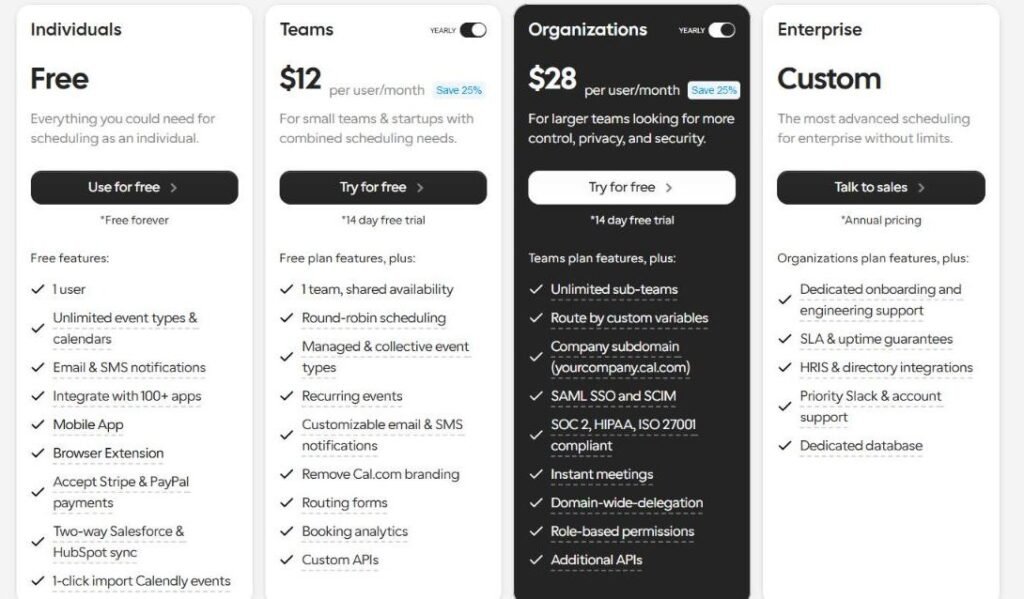
Cal.com’s free plan is unusually generous. You get unlimited event types, so your “free discovery call”, “single session” and “VIP half-day” can each have their own link, length and price. Since October 2026, payment collection is built in on the free plan too, which is the line I mentioned at the top. Most rivals charge for exactly that.
It’s also open source, which matters less to coaches than it sounds. You don’t need to touch code. You sign up and use it like any other booking app. The open-source part mostly means it isn’t going anywhere and the free plan has less pressure behind it to shrink.
Where it’s weaker than Paperbell: there’s no package countdown or contract built in. You can sell a single paid session cleanly. Selling a 10-session package and tracking it takes more workarounds.
For the full head-to-head, see Cal.com vs Calendly.
Skip it if: you sell packages with contracts, or you want a polished all-in-one client portal. Cal.com is a great scheduler, not a practice manager.
2. Acuity Scheduling: the full front desk
Best for: coaches who want intake forms, packages and memberships inside the booking tool, especially if their site is on Squarespace.
Price: Starter $16/mo · Standard $27/mo · Premium $55/mo, all on yearly billing (a little more monthly). No free plan; 7-day free trial.
Verdict: The most complete pure scheduler here. You pay from day one, but payment collection is on every paid plan.
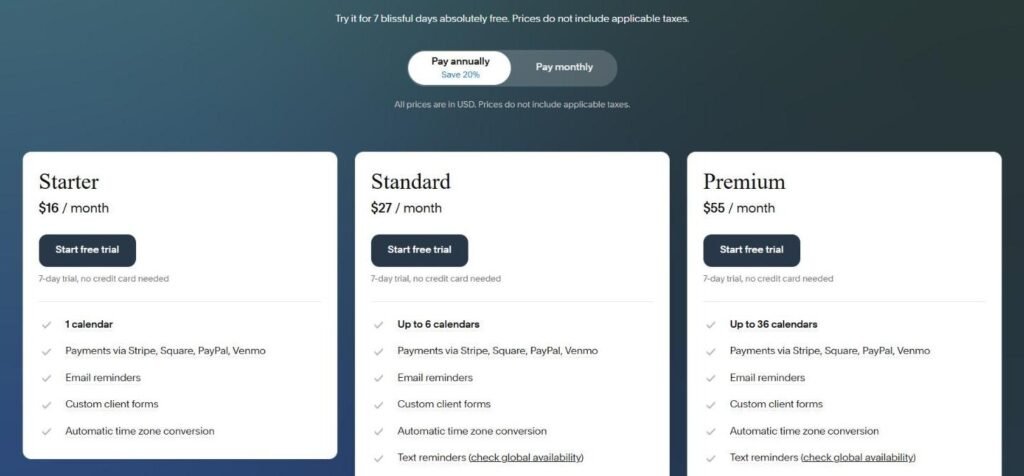
Acuity is owned by Squarespace and feels like a front desk. Intake forms, packages, gift certificates, memberships, reminders and payment collection via Stripe, Square, PayPal or Venmo all live in one place. A client can buy a 4-session pack and book against it, without you building anything clever.
It’s not as coaching-shaped as Paperbell. There’s no contract signing built into the flow the same way. But it covers most of what a solo practice needs. Starter at $16 a month on yearly billing already takes payments. Packages, gift certificates and memberships start on Standard, at $27.
If your website is on Squarespace, Acuity plugs straight in. That’s a real time saver for coaches who don’t want to embed things by hand. Starter covers coaches who sell single sessions; package sellers should budget for Standard. Even then, $27 a month is about a third of Paperbell’s yearly rate.
Skip it if: you want a free plan, or you just need a booking link and nothing else. Acuity’s depth is wasted on a coach who sells one kind of call.
3. Paperbell: the one built for coaching packages
Best for: established 1-to-1 and small-group coaches who sell packages, not single calls.
Price: $97/mo monthly · $970/yr (about $80.83/mo). No free plan; 30-day money-back guarantee.
Verdict: The only tool here that treats “6 sessions for $900” as the normal case, not an add-on. Also the priciest entry on this list.
Most booking tools think in single appointments. Coaching isn’t sold that way. You sell a package: a set number of sessions, a contract, maybe a welcome questionnaire, and then a client who books against what they’ve bought. Paperbell is built around that flow.
A client lands on your package page, signs the contract (via Dropbox Sign), pays, and books their first session in one sitting. After that they book the rest from a client portal, and the tool counts down what’s left. There are no platform transaction fees on top of your card processor’s cut. Group coaching is supported too.
Paperbell isn’t just a scheduler. It replaces a booking app, a payment page, a contract tool and a client portal. That’s why it costs more than Calendly. But at $970 a year it no longer undercuts the stack it replaces: HoneyBook Essentials ($49 a month yearly) or Dubsado Premier ($525 a year) also book, sign and bill for less. You pay Paperbell’s premium for the package-first flow and a much lighter setup. Our full Paperbell review does that math.
Skip it if: you mostly sell single paid calls, you’re still finding your first few clients, or you run a course business where coaching is a small extra. You’d be paying for package logic you won’t use.
4. TidyCal: free to start, pay once to grow
Best for: coaches who hate subscriptions and need simple paid bookings or small packages.
Price: Free plan with paid bookings and package bookings (1 calendar, TidyCal branding). $29 one-time for the Individual Lifetime plan.
Verdict: The second free tool that passes the one-step test. Less depth, no monthly bill.
TidyCal’s free plan already takes paid bookings and package bookings. That puts it in the same $0 club as Cal.com, with one edge: packages. If you want more than one calendar or no branding, the Individual Lifetime plan is $29 once. For a coach who has been burned by price rises (and in 2026, plenty have), that’s appealing.
It handles the basics: booking types, calendar sync, paid bookings and simple packages. It won’t run contracts or a client portal. But for “pick a time, pay, get a reminder”, it does the job.
The risk with any lifetime deal is the future. A tool that earns nothing more from you each month has less reason to keep adding features for you. I’d treat TidyCal as a solid simple tool, not a platform to build a whole practice on.
Skip it if: you need intake forms with logic, contracts, or a team. If you need several event types and no packages, Cal.com’s free plan does more for the same $0.
5. Calendly: the one everyone already knows
Best for: coaches whose clients are busy professionals used to Calendly links.
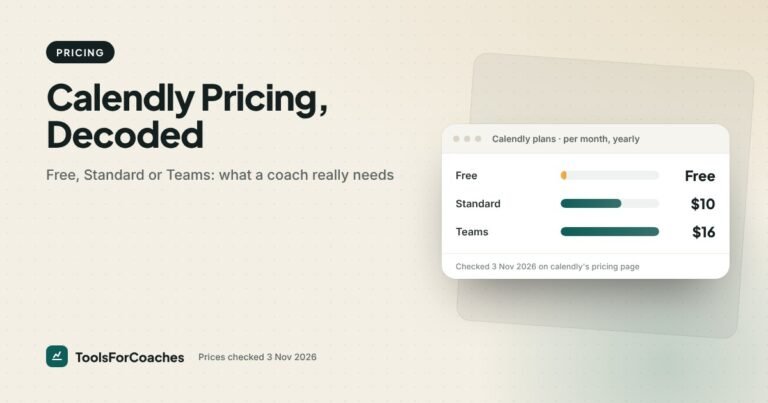
Price: Free $0 · Standard $10/seat/mo yearly ($12 monthly) · Teams $16 yearly ($20 monthly).
Verdict: Clean and trusted, but you need a paid plan to collect payments, so its free plan fails the one-step test.
Calendly is the default. Your corporate clients have seen a hundred Calendly links, which means zero friction when they book. The interface is clean. It connects to almost everything.
The catch for coaches is the upgrade trigger. Collecting payments through Stripe or PayPal needs a paid plan. On Standard, that’s $10 a month yearly for one seat. Not a lot of money, but it means Calendly’s free plan is fine for discovery calls and not for paid sessions.
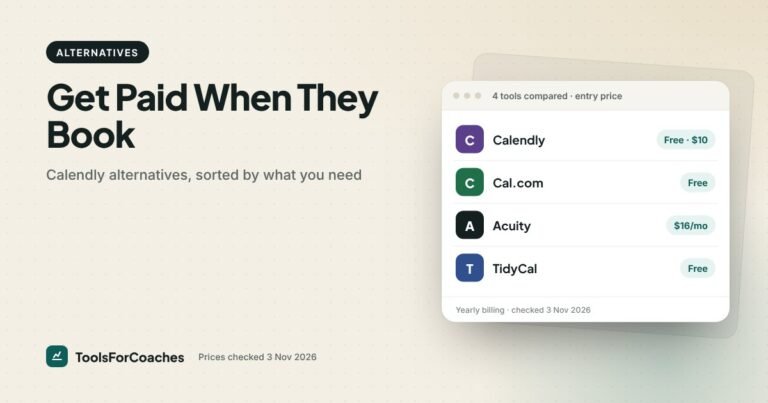
Where Calendly wins over Cal.com: polish, brand recognition, and the huge list of apps it talks to. Where it loses: Cal.com and TidyCal give you payments for $0, and Acuity gives you more coaching features for a few dollars more. More detail in our Calendly pricing breakdown.
Skip it if: you want to take payment without paying for the tool, or you sell packages. Both are better served higher up this list.
6. HoneyBook: scheduling inside a client-management tool
Best for: coaches who want contracts, invoices and booking in one place and run a project-style practice.
Price: Starter $29/mo yearly ($36 monthly) · Essentials $49 yearly ($59 monthly) · Premium $109 yearly ($129 monthly). The Scheduler starts on Essentials. Card processing 2.9% + 25¢; ACH 1.5%.
Verdict: Great if you want a CRM that also books calls. Too much if you only want booking.
HoneyBook isn’t a scheduler first. It’s a client-management tool with contracts, invoices, a client portal and scheduling. Watch the plan line: Starter has no Scheduler and no automations. Both start on Essentials, at $49 a month yearly. For a coach who sends proposals, signs contracts and bills in stages, Essentials can replace several apps, and it costs less than Paperbell.
Note the card processing rate: 2.9% + 25¢, a touch below the usual 30¢. And ACH bank payments at 1.5% are useful for higher-ticket packages. On a $3,000 package paid by bank transfer, that’s $45 instead of about $87 by card.
As a pure booking tool, though, it’s heavy. You’ll set up a lot before your first client books. Dubsado, below, is its closest rival.
Skip it if: booking is the only problem you’re solving. You’d pay $49 or more a month for a CRM you don’t need.
7. Dubsado: the workflow builder
Best for: coaches who like building custom workflows and want unlimited clients for a flat fee.
Price: Starter $35/mo monthly or $335/yr (about $27.92/mo) · Premier $55/mo monthly or $525/yr (about $43.75/mo). Prices rose in Dec 2025.
Verdict: Powerful and flexible, but you’ll spend real time setting it up.
Dubsado lets you build your own client journey: forms, contracts, invoices, reminders and scheduling, triggered in the order you choose. You get unlimited clients and up to 3 users. The free trial has no time limit, but it caps you at 3 clients, which is a nice way to test it properly.
For scheduling, budget for Premier. Scheduling and automated workflows are Premier-only, so Starter won’t book clients for you. At $525 a year, Premier is still the cheapest all-in-one here. Dubsado is at its best when booking is one step in a longer automated flow, not the whole job.
If you were on Dubsado before the December 2025 change and kept the old $20 or $40 rate, hold on to it. New customers can’t get it.
Skip it if: you want to be booking clients by this afternoon. Dubsado rewards patience. Tinkerers love it. Everyone else finds it a weekend project.
8. CoachAccountable: for coaches who track client actions between sessions
Best for: coaches whose method runs on homework, metrics and accountability between calls.
Price: billed monthly by active clients: $20 for 2, $40 for 5, $70 for 10, $120 for 20 and $250 for 50. Unlimited coach seats and a 30-day free trial.
Verdict: Niche but deep. Scheduling is part of a bigger coaching-delivery tool.
CoachAccountable is built for what happens after the booking. Action items, worksheets, metrics a client logs between sessions, and session notes, alongside scheduling and invoicing. If your coaching is structured around a client doing work between calls, that’s valuable.
It’s last here because our test is narrow: booked and paid in one step, simply. CoachAccountable can do the booking, but you’re buying it for everything else. Its price also grows with your client load. Ten active clients is $70 a month, a little under Paperbell’s $80.83 on yearly billing. Twenty is $120, well above it.
Skip it if: your sessions are conversation-led with little homework. You’d be paying for a toolkit you won’t open.
All 8 side by side
| Tool | Entry price (yearly) | Free plan? | Payment at booking | Packages | Contracts |
|---|---|---|---|---|---|
| Cal.com | $0 | Yes, unlimited event types | Yes, on free plan | Limited | No |
| Acuity | $16/mo | No (7-day trial) | Yes, all paid plans | From Standard ($27/mo) | No |
| Paperbell | $80.83/mo ($970/yr) | No (30-day money-back guarantee) | Yes, no platform fee | Built in | Yes (Dropbox Sign) |
| TidyCal | $0 ($29 one-time to upgrade) | Yes, 1 calendar, TidyCal branding | Yes, on free plan | Yes, on free plan | No |
| Calendly | $10/seat/mo | Yes | Paid plan only | Limited | No |
| HoneyBook | $49/mo (Essentials, for the Scheduler) | No | Yes (2.9% + 25¢) | Via invoices | Yes |
| Dubsado | About $43.75/mo ($525/yr, Premier, for scheduling) | Trial, 3 clients | Yes | Via workflows | Yes |
| CoachAccountable | $20/mo for 2 active clients (monthly) | No (30-day trial) | Yes | Yes | Check vendor |
Don’t read that chart as “cheapest wins”. Paperbell sits at the top because it replaces contracts and a client portal too. But be honest with the comparison: Dubsado Premier and HoneyBook Essentials also bundle booking, contracts and payments, for $380–445 a year less. Paperbell’s extra cost buys a package-first flow and almost no setup.
What a year of each setup really costs
Monthly prices hide the full picture. Here is what one year looks like for a solo coach using each tool as their main way to get booked and paid, on yearly billing. I’ve added the cost of a separate contract tool where the scheduler doesn’t have one, because a coach selling packages needs contracts either way. I’ve left that cost as a range you fill in, since contract apps vary.
| Setup | Scheduler / yr | Also need | Who it suits |
|---|---|---|---|
| Cal.com Free | $0 | A contract tool if you sell packages | New coaches, single paid sessions |
| TidyCal Free | $0 | A contract tool | New coaches selling small packages |
| Calendly Standard | $120 | A contract tool; intake via forms | Corporate clients who expect the link |
| Acuity Standard | $324 | A contract tool | Squarespace sites, packages without contracts (Starter, $192, if you sell single sessions) |
| Dubsado Premier | $525 | Nothing for most coaches | Coaches who like building workflows |
| HoneyBook Essentials | $588 | Nothing for most coaches | Proposal-led, project-style practices |
| Paperbell | $970 | Nothing; contracts and portal built in | Established package-based 1-to-1 and group coaches |
Read the “also need” column before the price column. The cheaper tools are cheaper because they do less. For a coach who sells single sessions, that’s perfect. For a coach who sells $1,500 packages with a signed agreement, the gap between $120 and $970 shrinks once you add a contract app and the hours spent copying details between tools. It rarely closes on dollars alone, though. If you choose Paperbell, choose it for the time and the flow.
Reminders, intake forms and the no-show problem
Getting paid at booking solves the money side. Getting people to actually show up is the other half.
Every tool on this list sends reminders. The useful difference is control. Can you send one a day before and one an hour before? Can you send a text, not just an email? Can the reminder carry a link to the video call and the intake form? Acuity and Paperbell give you the most say here for a solo coach. Calendly and Cal.com cover the basics well.
Intake forms matter more than coaches expect. A short set of questions before the first session (“What do you want to change in 90 days?”, “What have you tried?”) means you start session one at minute five, not minute twenty. Acuity, Paperbell, HoneyBook and Dubsado all handle intake well inside the booking flow. With Calendly and Cal.com, you can add questions to the booking form, which covers most needs.
One small tip from the pricing side of things: a paid booking is itself the best reminder. People turn up to what they’ve already paid for. That’s one more reason the one-step test sits at the top of this ranking.
Which scheduling setup fits which coach
Rankings are averages. Choosing the best scheduling software for coaches comes down to how you sell. Here’s how I’d choose for the most common setups.
- Just starting, fewer than five clients: Cal.com Free, or TidyCal Free if you sell small packages. Charge at booking from day one and pay nothing until the business proves itself.
- Selling 1-to-1 packages to a steady roster: Paperbell, if the time saved is worth about $80 a month to you. Use the 30-day money-back guarantee as your trial. On a tighter budget, Acuity Standard ($27) plus a contract tool.
- Website on Squarespace, want a front desk: Acuity Starter, moving to Standard for packages.
- Corporate or executive clients: Calendly Standard. The familiar link is worth $10 a month.
- Proposals, contracts and staged invoices: HoneyBook or Dubsado, with scheduling as a bonus.
- Homework-heavy coaching method: CoachAccountable.
For more on free options only, read our guide to the best free scheduling app for coaches. If you’re already on Calendly and want out, start with Calendly alternatives.
Three common mistakes coaches make with booking tools
Paying for a CRM to fix a booking problem
If clients forget to pay, you have a booking-flow problem, not a client-management one. A $0 or $10 tool that takes payment at booking fixes it. Moving to a $49-a-month CRM is a big answer to a small question.
Keeping the free plan out of habit
Calendly Free is fine for discovery calls. But if you’re then sending a separate payment link for every paid session, the $10 a month for Standard (or a switch to Cal.com) pays for itself the first time it saves a no-pay.
Stacking three tools that each do 80%
Booking in one tool, contracts in a second, invoices in a third. Each is cheap. Together they creep toward Paperbell’s price, and every hand-off is a place for a client to fall through. If you see yourself in this, add up your monthly bills. Then add up the hours.
How I ranked these tools
Every tool was judged on the same five questions, in this order of weight:
- Can a client book and pay in one flow? This counted most. Tools that need a paid plan for it lost ground at the free level.
- What does that cost a solo coach per month? I used yearly billing for every vendor that offers it.
- Does it handle packages? Coaching is sold in bundles, so single-session tools ranked lower.
- Does it ask intake questions and send reminders? Both reduce no-shows and wasted first sessions.
- How long until your first booking? A tool you never finish setting up costs the most of all.
I’m a product and pricing strategist, not a coach. I didn’t run a paid trial of each tool for this piece. The ranking comes from the vendors’ own pricing and feature pages, checked 3 Nov 2026, and from years of seeing how small businesses actually adopt tools like these. We re-check prices monthly and update this page when they move. Where a vendor doesn’t publish a number clearly, I point you to their page rather than guess.
What I’d set up this week
If you’re a solo coach reading this with no booking tool, or a free one that sends clients a separate payment link: open Cal.com, make one paid event type, and put that link everywhere. It costs nothing and fixes the most common leak in a coaching practice.
If you sell packages and you’re tired of tracking who has how many sessions left in a spreadsheet, try TidyCal’s free plan first, or Acuity Standard at $27 a month. Once you have a steady roster and the admin really bites, start Paperbell with your next new client and judge it inside the 30-day guarantee. At $970 a year it has to earn its place.
Everyone else: Acuity Starter is the safe middle. $16 a month, payments included, room to grow.
Scheduling software questions coaches ask
What is the best scheduling software for life coaches?
For most life coaches, Cal.com is the best start: it takes payments on its free plan. Acuity is the best paid middle option at $16 a month on yearly billing, or $27 for packages. For established coaches who sell packages, Paperbell handles contracts, payment and package tracking in one flow, at $970 a year.
Is there a free scheduling app that takes payments?
Yes, two. Cal.com’s free plan includes built-in Stripe and PayPal payments, plus unlimited event types. TidyCal’s free plan takes paid bookings and package bookings. Calendly’s free plan does not take payments; you need a paid plan for that.
Is Calendly or Acuity better for coaches?
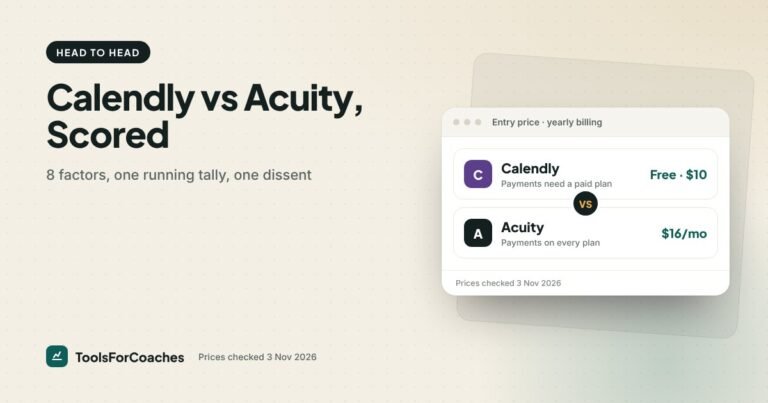
Acuity is better if you want intake forms, packages and payments on every paid plan. Calendly is better if you want a simple, familiar link and your clients are used to it. Our Calendly vs Acuity scorecard compares them factor by factor.
Do I need a CRM or just a scheduling tool?
Most coaches with under about 20 clients only need a scheduler that takes payment, plus a simple notes system. Move to a CRM like HoneyBook or Dubsado when you’re sending proposals, contracts and staged invoices regularly.
How much should a coach pay for scheduling software?
Between $0 and $16 a month covers most solo coaches who just need paid bookings. Expect around $80.83 a month on yearly billing ($970 a year) for a coaching-specific tool like Paperbell, which also replaces contracts and a client portal.
Can I sell coaching packages through a booking app?
Yes, but not all of them do it well. Paperbell handles packages directly, Acuity does from its $27 Standard plan, and TidyCal does on its free plan. Calendly and Cal.com are built around single appointments, so packages take workarounds.