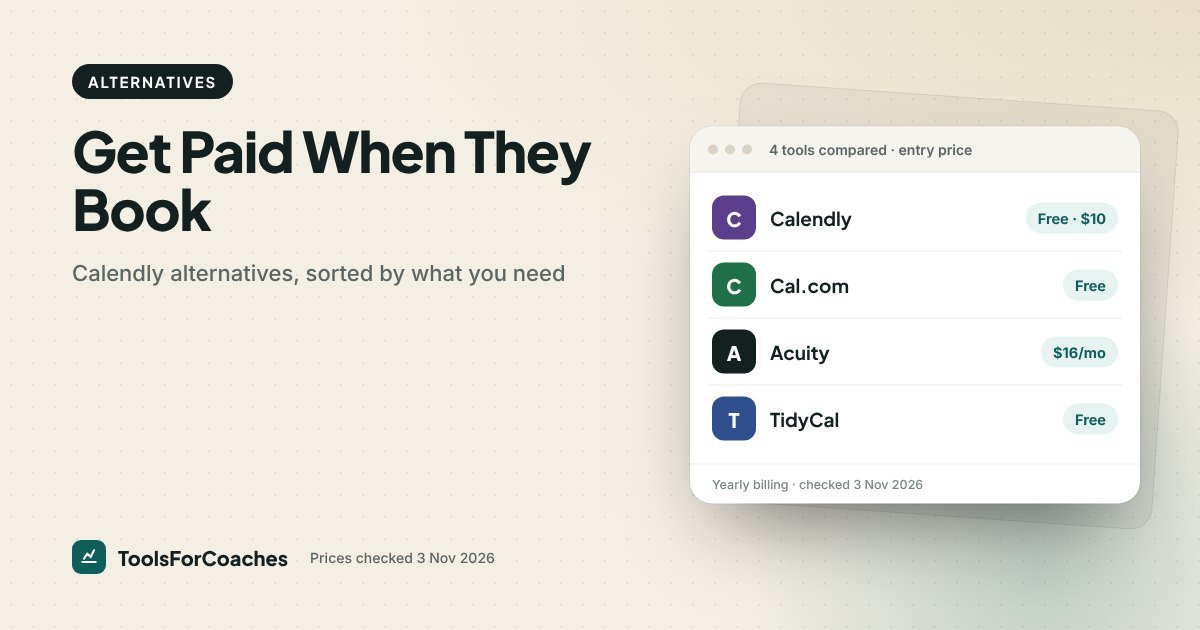
Most coaches start searching for Calendly alternatives for one reason: they want clients to pay when they book, and Calendly’s free plan can’t do that. Payments start on Standard, at $10 a seat a month on yearly billing.
That’s a fair business model, and Calendly is a fine tool. But for a coach, getting paid at booking isn’t a bonus feature. It’s the whole point of the link. If that’s what you need, there are cheaper ways to get it, and one costs nothing.
This guide skips the long list. Instead, you’ll answer up to three questions about how you sell. Each answer points to a tool. Then I explain each pick, where it beats Calendly, and where Calendly still wins.
What you’re actually leaving behind
Before you switch, be clear on what Calendly costs and what you’d give up.
| Calendly plan | Yearly billing | Monthly billing | Takes payments? |
|---|---|---|---|
| Free | $0 | $0 | No |
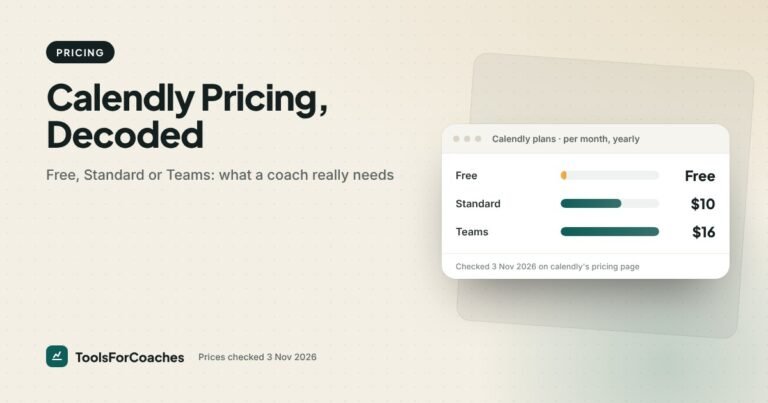
| Standard | $10/seat/mo | $12/seat/mo | Yes (Stripe, PayPal) |
| Teams | $16/seat/mo | $20/seat/mo | Yes |
So the “Calendly tax” on paid bookings is $10 a month, or $120 a year, for one person. That’s not huge. If it were the only issue, I’d tell most coaches to just pay it.
The bigger issue is what $10 still doesn’t buy you. Calendly thinks in single meetings. It has no built-in idea of a 6-session coaching package, a signed agreement, or a client who has 3 sessions left. That’s where the alternatives start to pull ahead. Our Calendly pricing guide covers each plan in detail if you’re deciding whether to stay.
The decision tree: which Calendly alternative fits you
Start at question one. Stop as soon as you land on a pick.
That’s it. Most coaches land on one of four tools. Here’s what each branch means in practice.
Cal.com is the best free Calendly alternative for paid sessions; Acuity is the best value for coaching packages
- Single paid sessions, tight budget → Cal.com Free
- Packages with signed contracts, steady roster → Paperbell at $970/yr
- Busy corporate clients who expect a Calendly link → Calendly Standard may still be worth $10 a month
Branch A: you only book free calls
Some coaches don’t take payment through their booking tool at all. They do a free discovery call, then send a proposal and invoice from somewhere else. If that’s you, Calendly Free is still a good choice. It passes no money, so the payment limit doesn’t touch you.
If you want a little more on the free tier, Cal.com Free gives you unlimited event types. That’s handy for separate links like “discovery call”, “check-in”, and “past client catch-up”, each with its own length and questions.
Don’t switch tools just because a blog post told you to. If free calls are your whole use case, the best move might be to stay put.
Branch B: packages with contracts → Paperbell
This branch is where Calendly struggles most and where the most effort gets wasted.
Without a package tool, the usual setup is four tools. Calendly for the discovery call, a contract app for the agreement, a Stripe link for payment, and a spreadsheet to track how many sessions each client has used. Every new client means four emails and a round of copying names between apps.
The hidden cost is the spreadsheet. When it falls behind, a client books a session they’ve already used up, and you run it for free without noticing until you do your books. That’s money lost to a tool gap, not a pricing decision.
Paperbell replaces that whole chain. A client picks a package, signs the contract (through Dropbox Sign), pays, and books their first session in one go. The tool tracks sessions left. Clients book the rest from their own portal.
- Price: $97/mo billed monthly · $970/yr (about $80.83/mo). No free plan; 30-day money-back guarantee.
- Fees: no platform transaction fees; your card processor’s normal cut applies.
- Also covers: unlimited clients and packages, group coaching.
Where Calendly still wins: it’s simpler to embed in a busy corporate client’s world, and more people already know how it works. Who shouldn’t pick Paperbell: coaches who sell single sessions only, or anyone still finding their first few clients. At $970 a year, it costs more than Acuity Standard plus a contract app. You pay the difference for one link and no wiring.
Read the full Paperbell review for how the $97 compares to the tools it replaces.
Branch C: packages, no contracts → Acuity Scheduling
Acuity sits between Calendly and Paperbell. It does more than book meetings, but it isn’t trying to be your whole practice.
It handles packages, memberships and gift certificates from its Standard plan up. Intake forms are detailed. Payment collection via Stripe, Square, PayPal or Venmo works on every paid plan, including the cheapest. There’s no free plan, just a 7-day free trial with no card.
| Acuity plan | Yearly billing | Calendars | Payments | Packages |
|---|---|---|---|---|
| Starter | $16/mo | 1 | Yes | No |
| Standard | $27/mo | Up to 6 | Yes | Yes |
| Premium | $55/mo | Up to 36 | Yes | Yes |
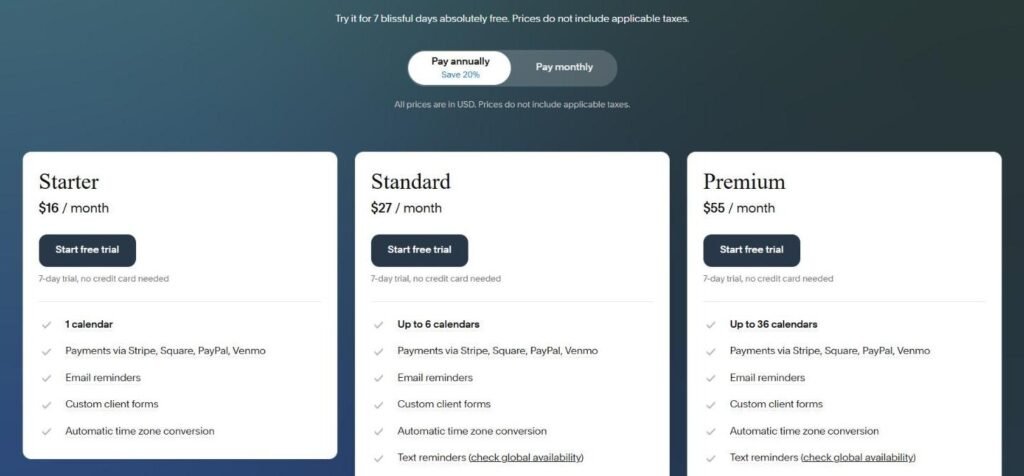
For solo coaches selling single sessions, Starter at $16 a month on yearly billing is enough. That’s $6 a month more than Calendly Standard, for stronger intake forms. If you sell packages, budget for Standard at $27, which is still about a third of Paperbell’s yearly rate.
Acuity is owned by Squarespace. If your site is on Squarespace, it slots in easily. If not, it still embeds on any site.
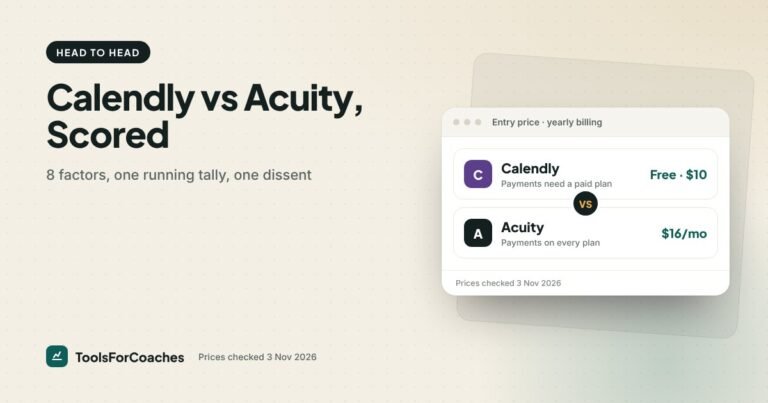
Where Calendly still wins: a cleaner, more modern booking page, and a free plan. Who shouldn’t pick Acuity: coaches who need signed contracts in the booking flow (go to Paperbell) or who want $0 (go to Cal.com or TidyCal). For a full factor-by-factor look, see Calendly vs Acuity.
Branch D: single paid sessions, simple forms → Cal.com or TidyCal
This is the most common branch. You sell one-off sessions, maybe at two or three price points. You want the client to pay when they book. You don’t need much more.
Cal.com Free: the $0 answer
Cal.com is the Calendly alternative most coaches should try first. Its free plan includes unlimited event types and, since October 2026, built-in payments. That means the exact feature Calendly charges for is free here.
It’s open source, but you don’t need to know what that means to use it. You sign up, connect your calendar, set your prices and share the link. If you ever add people, the paid Teams plan is $12 per user per month on yearly billing.
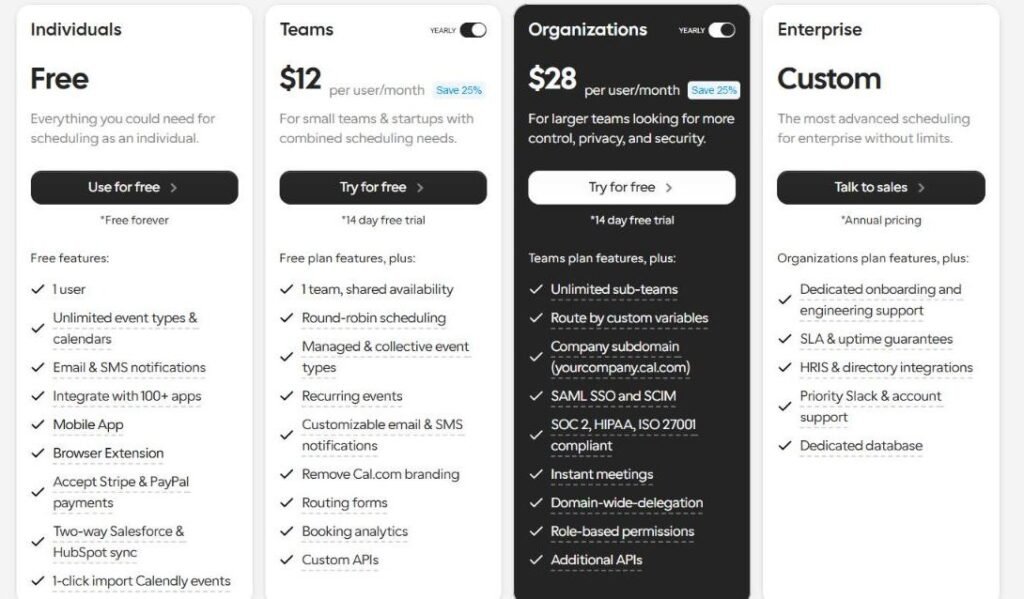
The trade-off: Cal.com doesn’t track packages or contracts. Sell a single session cleanly, yes. Sell a 10-pack and track it, not really. Our Cal.com vs Calendly post goes deeper on what you give up.
TidyCal: pay once, done
TidyCal’s free plan already takes paid bookings and package bookings, with 1 calendar and TidyCal branding. To lose the branding or add calendars, the Individual Lifetime plan is $29 once rather than a subscription. It does the basics well: booking types, calendar sync, paid bookings.
Pick TidyCal over Cal.com if you sell small packages, or you like the idea of owning it outright later. Pick Cal.com if you want lots of event types on one free account. Either works for single paid sessions at $0.
One honest caution about any lifetime deal: the company earns nothing more from you after day one. That can slow new features. For a simple booking job, that rarely matters.
Three coaches, walked through the tree
Trees are easier to trust when you see them used. Here are three common setups, run through the questions, and where each one lands.
The career coach with three price points
The offer: a free 20-minute chat, a $150 single session and a $250 CV-plus-session deal, bought one at a time. Question one: yes, payments are needed. Question two: no packages. Question three: a few simple questions are fine. That lands on Cal.com Free. The yearly cost of the booking tool drops from $120 on Calendly Standard to $0, and nothing about the client experience gets worse.
The health coach selling 12-week programmes
Clients buy 12 sessions up front and fill in a long health history before session one. No contracts, just clear terms on the checkout page. Question two points to Acuity. On Standard at $27 a month on yearly billing, clients buy the 12-pack, fill in the intake form, and book against their credits. The “sessions used” spreadsheet can go the week of the switch.
The executive coach billed through companies
Clients are senior leaders whose assistants book for them. The company pays by invoice, so nothing is paid at booking. Question one: no. Stay on Calendly. Assistants know it, the links never confuse anyone, and invoicing lives in the accounting tool. Switching would be effort for nothing.
Notice that only one of the three needed the most powerful tool, and one needed no change at all. That’s normal. Most of the value in a switch comes from matching the tool to how you sell, not from buying more features.
Why the payment step matters more than the price
It’s tempting to read this whole topic as “save $10 a month”. That’s the small win. The big one is what happens when payment and booking happen in the same click.
When a client pays later, three things go wrong more often. They forget. They book, then cancel before paying. Or they turn up and you have the awkward money chat at the end of a session that should end on a high. Each of those costs you more than a year of any tool on this list.
When they pay at booking, the session is a commitment, not a maybe. You stop being your own debt collector. That’s why I built the tree around payment first. Packages, forms and contracts are about making the practice smoother. Payment at booking is about making sure you actually get paid.
Small fix, big effect: whatever tool you choose, add a short cancellation policy to the booking page, right above the pay button. Clients who see the rule before they pay rarely argue with it later.
What none of these alternatives fix
A booking tool can only do so much. Before you switch, know what stays the same.
- Card fees don’t go away. Stripe and PayPal charge about 2.9% + 30¢ per sale whichever booking tool you use. Paperbell adds no platform fee on top, and neither do the others here, but the processor still takes its cut.
- Your calendar still has to be honest. If your Google or Outlook calendar is a mess, every tool will show the wrong free slots. Clean that first.
- Price and offer still matter most. A smoother booking page won’t sell a session nobody wants. If bookings are low, the issue is usually upstream.
- Notes and client history live elsewhere. Only Paperbell gives you much of a client record. With the others, you’ll want a simple system, even a Notion page, for session notes.
The decision tree as a table
If you’d rather scan than follow branches, here’s the same logic in one place.
| Tool | Cost (yearly billing) | Payments at booking | Packages | Intake forms | Contracts |
|---|---|---|---|---|---|
| Calendly Free | $0 | No | No | Basic questions | No |
| Calendly Standard | $10/seat/mo | Yes | Limited | Basic questions | No |
| Cal.com Free | $0 | Yes | Limited | Basic questions | No |
| TidyCal | $0 (or $29 one-time) | Yes, on free plan | Yes, on free plan | Basic questions | No |
| Acuity Starter | $16/mo | Yes | No (from Standard, $27/mo) | Detailed | No |
| Paperbell | $80.83/mo ($970/yr) | Yes | Built in | Yes | Yes |
Where Calendly still beats every alternative
I’d be doing you a disservice if I didn’t say this plainly. Calendly is the best-known link in business. If your clients are executives, HR leads or founders, they’ve clicked a thousand Calendly links. There’s no learning curve, no “what is this site?” moment.
It also connects to more apps than most alternatives, and the booking page is clean. For a coach who books corporate work through company assistants, those small things add up.
So if you’re an executive or leadership coach, the right answer may be “stay on Calendly and pay the $10”. Not every switch is an upgrade.
A note on group sessions and workshops
The tree above assumes 1-to-1 work. Plenty of coaches also run a monthly group call or a paid workshop. That changes things a little.
Calendly, Cal.com and Acuity can all host a session with several seats, so ten people can book the same slot. Paperbell supports group coaching inside its package flow, which suits a cohort that meets weekly. If your group work is a full course with lessons and a community, though, a booking tool isn’t the right home. That’s a job for a course platform, and our list of the best course platforms for coaches is the place to start.
A simple rule: if people pay for a time slot, use a booking tool. If they pay for a programme with content, use a course platform and link the live calls from there.
Moving off Calendly without losing bookings
If you do switch, the risk isn’t the new tool. It’s old links still floating around. Here’s the order I’d follow over about a week.
- Day 1: Set up the new tool. Recreate each event type with the same lengths, buffers and questions. Connect your calendar and payment processor.
- Day 2: Book a test session with yourself on each event type. Pay with a real card and refund it, so you know money flows.
- Day 3: Swap the link everywhere you control it: website, email signature, social bios, lead magnet thank-you page, welcome emails.
- Days 3–7: Leave Calendly running for anyone with an old link or an existing booking. Don’t cancel yet.
- Day 7 or later: Once no new bookings come in through Calendly for a week, downgrade or close it.
Search your old emails and PDFs for “calendly.com” too. Coaches often find links hidden in a welcome guide they wrote two years ago.
What I’d do
If I were a solo coach selling single paid sessions, I’d move to Cal.com Free tonight. It does the thing Calendly charges for, and it does it at $0. There’s no downside worth paying to avoid.
If I sold packages, I’d start on Acuity Standard at $27 a month, or TidyCal Free if money is tight. I’d move to Paperbell only once I had a steady roster and contracts were eating my evenings. At $970 a year, it pays off in saved time, not saved dollars, so judge it inside the 30-day money-back guarantee.
If I needed detailed intake forms but sold only single sessions, I’d pick Acuity Starter. And if my clients were mostly corporate, I’d stop reading alternatives posts and pay Calendly its $10.
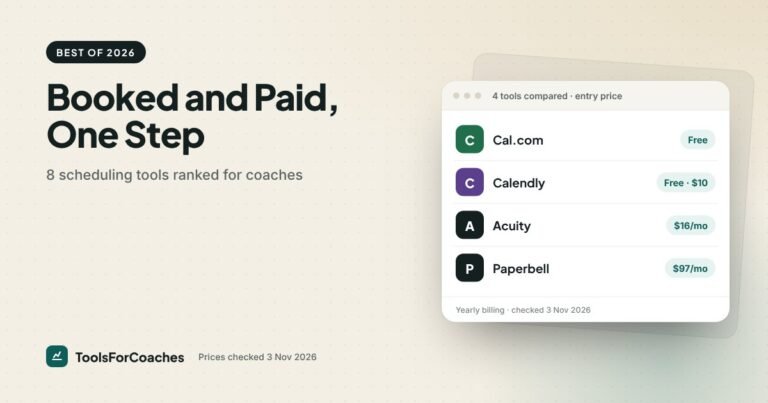
Want the bigger picture? Our ranking of the best scheduling software for coaches covers eight tools, including HoneyBook and Dubsado.
Calendly alternatives: common questions
Is there a free Calendly alternative that takes payments?
Yes, two. Cal.com’s free plan includes built-in Stripe and PayPal payments, plus unlimited event types. TidyCal’s free plan also takes paid bookings and package bookings, with TidyCal branding.
Can Calendly take payments on the free plan?
No. Collecting payments through Stripe or PayPal needs a paid plan. Calendly Standard costs $10 a seat per month on yearly billing, or $12 billed monthly.
What is the best Calendly alternative for coaches?
For single paid sessions, Cal.com Free is the best value. For packages and detailed intake forms, Acuity Standard at $27 a month on yearly billing is the best value. For packages with signed contracts, Paperbell fits best, at $970 a year.
Is Acuity better than Calendly?
For coaches who sell packages and want detailed intake forms, usually yes. It takes payments on every paid plan, and packages start on Standard. Calendly is simpler and has a free plan, which suits coaches who mostly book free calls.
Is TidyCal a good Calendly alternative?
For simple paid sessions, yes. The free plan takes paid bookings and package bookings, with TidyCal branding, and the upgrade is a one-time payment of $29 rather than a monthly plan. It’s lighter on intake forms than Acuity or Paperbell.