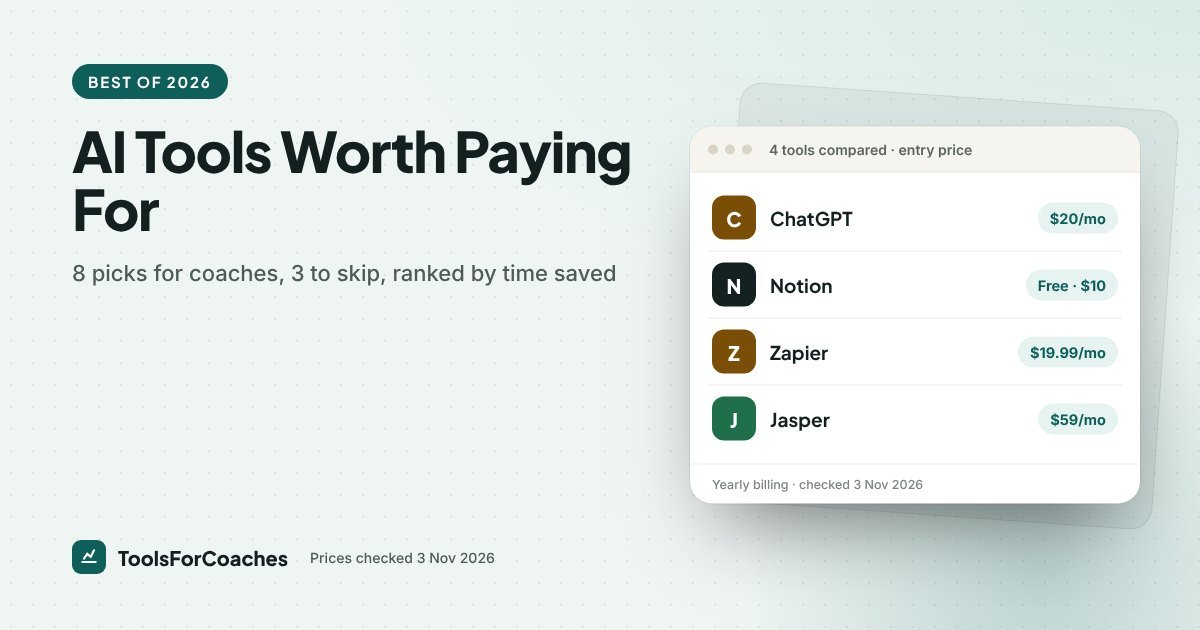
When AI comes up on a call, coaches rarely ask me what it can do. They ask what it will cost each month, and which subscriptions are worth keeping. My answer is usually $49.99 a month: ChatGPT Plus, Notion Plus and Zapier Professional. Of all the best AI tools for coaches I’ve looked at, those three earn their place first. They replace a surprising amount of the admin that eats your evenings. They do not replace you.
That line matters, because most lists of the best AI tools for coaches mix up two very different things. Some tools take boring work off your plate, like notes, follow-ups, scheduling admin and first drafts. Others promise to do the coaching itself. The first group is worth your money. The second group is mostly worth avoiding.
Below are eight tools ranked by how much real work they remove for a solo coach, three I would skip, and the confidentiality rules you need before any client words go near an AI tool. Prices come from vendor pricing pages, checked 3 Nov 2026.
Disclosure: I have done strategy work for SaaS companies, including Tactiq, which makes a meeting transcription tool. That is why the notetaker pick below is a category, not a brand. I am not going to rank a former client’s product. Some links on this page are affiliate links; they never change the order.
The ranking at a glance
- ChatGPT Plus: best all-round writing and thinking assistant
- An AI meeting notetaker: best for session notes (with consent)
- Notion Plus: best home for client notes, templates and your content library
- Zapier Professional: best for joining your tools so admin runs itself
- ChatGPT + Zapier together: best for automatic intake summaries
- The AI already inside your email tool: best for newsletter first drafts at $0 extra
- Your phone’s dictation: best free tool for capturing ideas between sessions
- A free chatbot tier: best $0 way to find out if AI helps you at all
1. ChatGPT Plus: the assistant you will open every day
Best for: First drafts, session prep, turning messy thoughts into clear offers.
Price: $20/mo.
Verdict: The single AI subscription most coaches should start with.
ChatGPT is a general assistant, and that is its strength. A coach does a lot of small writing jobs in a week: a follow-up email, a social post, a workshop outline, the description of a new package. None of them is hard. All of them take time to start. ChatGPT is very good at the blank-page part.
The way coaches get real value is with a short, reusable brief. Write one paragraph about who you coach, how you talk and what you never say. Paste it at the top of each task, or save it in the custom instructions. Drafts come back sounding much closer to you.
Good jobs to hand it:
- Turn your rough bullet notes into a clear follow-up email after a discovery call
- Draft three versions of a sales page headline so you can react instead of invent
- Outline a 6-week group programme from your existing session notes (with client details removed)
- Rewrite a dense paragraph so a stressed reader can scan it
Skip it if: You only write a few emails a month. The free tier will do, and $20 is better spent elsewhere.
2. An AI meeting notetaker: the biggest time saver, and the biggest risk
Best for: Session notes, action items and remembering what a client said three weeks ago.
Price: Varies by vendor; most have a free tier. Check the vendor’s pricing page.
Verdict: Worth it for most coaches, but only with clear client consent and settings you have checked.
These tools join or listen to your video call, write a transcript, and produce a summary with action points. For a coach who runs back-to-back sessions, this is the most direct way AI saves hours. You stop typing notes during the call, so you listen better. You stop writing them up afterwards, so your evenings come back.
The business coaches who raise this with me tend to run five or six client calls on their busiest days, then lose the evening rebuilding notes from memory. With a notetaker, that turns into reading a summary, fixing the two or three lines it got wrong, and pasting the action points into the client’s page. The way they usually describe it: they stopped being their own secretary.
But this is also where the risk lives. You are recording a private conversation. Some clients will say no, and that is their right. Read the confidentiality section below before you turn one on.
Skip it if: Your clients regularly discuss health, legal or very personal matters and you cannot confirm how the tool stores and uses recordings. Handwritten notes are still a valid choice.
3. Notion Plus: where all the AI output actually lives
Best for: Client notes, session templates, your library of posts and prompts.
Price: $10/mo on yearly billing. A free plan exists. Notion’s AI features are sold separately or bundled on some plans; check the current terms on its pricing page.
Verdict: Not flashy, but it is what turns AI drafts into a system.
AI tools create a lot of text. Without a home for it, that text scatters across chats, downloads and email drafts. Notion fixes that. One page per client, with a session log inside it. One database of content ideas. One page of your best prompts.
For coaches with under about 20 active clients, Notion can also be your client tracker, so you may not need a paid CRM yet. I explain how to set that up, and when to stop, in Notion for coaches.
Skip it if: You already run your practice in a coaching tool like Paperbell or a CRM like HoneyBook, and its notes feature is enough. Two systems for client notes is worse than one.
4. Zapier Professional: the quiet admin remover
Best for: Connecting booking, payments, email and notes so information moves without you.
Price: Free plan available but limited; Professional from $19.99/mo on yearly billing.
Verdict: The pick that saves the most time once it is set up, and the one coaches set up least.
Zapier is not AI in the chatbot sense. I rank it here because it is what lets the other tools work without you copying and pasting between them. A “zap” is a rule: when this happens in one app, do that in another.
A few zaps that matter for coaches:
- When someone books a paid session, add them to your email list with a “client” tag
- When a session is booked, create a page for that client in Notion
- When a payment comes in, send yourself a message so nothing slips
Each one is small. Together they remove the “did I remember to…” layer of running a practice. I cover nine of them with exact triggers and actions in Zapier for coaches.
Skip it if: Your tools already talk to each other. An all-in-one coaching platform often handles booking, payment and onboarding in one place, which removes the need for glue.
5. ChatGPT and Zapier together: intake forms that summarise themselves
Best for: Walking into a first session already knowing the client’s goal.
Price: No extra cost if you already pay for both; an OpenAI API account may be needed for some setups, so check Zapier’s instructions.
Verdict: The most useful AI workflow most coaches have never tried.
Here is the setup. A new client fills in your intake form. Zapier sends their answers to ChatGPT with a short instruction: “Summarise this in five bullet points. Flag anything I should ask about.” The summary lands in that client’s Notion page or your inbox.
The result is a two-minute read before a first call, instead of a long form you skim in the car park. It also helps you notice patterns across clients over time.
Keep intake questions focused and avoid asking for sensitive details you do not need. Whatever the form collects is what gets sent onward.
Skip it if: You get fewer than a couple of new clients a month. Reading the form yourself is fine at that volume.
6. The AI writer already inside your email tool
Best for: First drafts of newsletters and subject lines.
Price: Often included in plans you already pay for; check what your plan offers.
Verdict: Use what you have before you buy another tool.
Many email and website tools have added AI writing helpers. They are usually less capable than a dedicated assistant, but they sit exactly where you write. For a short weekly email, that convenience wins.
The bigger win is still the email list itself. If you do not have one yet, start there. I rank the tools that are best for selling, not just sending, in best email marketing for coaches.
Skip it if: You already use ChatGPT for drafts. A second writing assistant adds little.
7. Your phone’s built-in dictation
Best for: Capturing ideas, post-session reflections and content seeds on the move.
Price: $0. It is already on your phone.
Verdict: The most underrated tool on this list.
Speech-to-text on modern phones is very good. Many of the best coaching insights happen right after a session, on a walk, or in the car. Speak them into a note. Later, paste the rough text into ChatGPT and ask it to tidy it into a post or a programme idea.
This two-step habit is how plenty of coaches write most of their content. They do not “sit down to write”. They talk, then edit.
Skip it if: You think best by typing. Some people do.
8. A free chatbot tier: the $0 test
Best for: Finding out whether AI fits how you work before paying anything.
Price: $0 on free tiers from ChatGPT and other providers.
Verdict: Start here if you are sceptical.
Free tiers are limited, but they are enough to test the jobs above for a couple of weeks. Keep a short list of tasks you tried and whether the result saved time. If the list is full of “yes”, upgrade. If it is full of “I rewrote everything”, AI is not your bottleneck yet.
Skip it if: You already know you will use it daily. Go straight to a paid plan.
Where the hours actually come back: a coach’s week, job by job
A ranking is useful. But the better question is “which part of my week does this fix?” Here is how the best AI tools for coaches map onto the jobs that come round every week.
Before a session
The job is getting your head into the client’s world. The intake summary workflow (pick 5) does this for new clients. For ongoing clients, open their Notion page and ask ChatGPT to pull the last three sessions’ action points into a short list. You walk in knowing what they promised to try.
During a session
The job is listening. A notetaker (pick 2) is the only tool on this list that helps here, and only by letting you stop typing. If you do not record, keep a paper pad and write single words, not sentences. Expand them afterwards with dictation.
Straight after a session
The job is the follow-up. Speak three lines into your phone: what you covered, what they will do, what you will send. Paste that into ChatGPT with your follow-up template. Read it, fix it, send it. Build this habit and the follow-up stops being the task you put off until late at night.
Once a week
The job is staying visible. Use your email tool’s AI, or ChatGPT, to turn one idea from your voice notes into a newsletter draft. Then cut a short social post from the same draft. One idea, two outputs, both edited by you.
Once a month
The job is checking the machine. Look at your zaps in Zapier and make sure none have errors. Delete old recordings you no longer need. Review your prompts page in Notion and remove what you have stopped using. Twenty minutes, and the system stays clean.
A quick test: Track one normal week in a note before you buy anything. Write down every admin task and how long it took. The two longest lines on that list tell you which pick to start with.
3 AI tools to skip as a solo coach
Skip: Jasper, unless you run a content team
Jasper is built for marketing teams that need brand voice controls, shared templates and many people writing at once. Jasper’s pricing page on 3 Nov 2026 no longer listed the old Creator plan. The entry plan now is Pro, at about $59 a month on yearly billing or $69 monthly. For a solo coach, that is roughly three times ChatGPT Plus for features you will not use. It is a good tool aimed at a different buyer.
Where Jasper wins: If you have hired writers or a VA who produce content in your voice, its team features earn their keep.
Skip: “AI coach” chatbots that talk to your clients for you
Some tools offer to create an AI version of you that answers client questions between sessions. I would not. Your clients pay for your judgement and your attention. A bot that gets it wrong at 11pm, in your name, is a trust problem you cannot undo. It also raises hard questions about where those conversations are stored.
Skip: auto-posting tools that write and publish social content on their own
Drafting with AI is fine. Publishing without reading is not. These tools fill your feed with posts that sound like everyone else’s, and coaching is a trust business. Every post should pass through your own eyes first.
Client confidentiality: the checklist before any AI touches session content
This is the section I would read twice. Coaching is built on private conversations. AI tools can store, process and sometimes learn from what you put into them, depending on the vendor and your settings.
Before you use AI with anything a client said:
- Ask first, in writing. Add a line to your coaching agreement about note-taking tools, and ask again before recording a call. Make “no” an easy answer.
- Check the data settings. Look for whether your inputs are used to train models, and turn that off where you can.
- Strip names and identifiers. When you paste notes into a chatbot to draft a programme or an email, remove names, employers and anything that could identify the person.
- Know where recordings live. Find out how long a notetaker keeps audio and transcripts, and delete what you do not need.
- Health coaches, take extra care. If you handle health information, check what your local rules and professional body require before using any AI tool with client data.
- Keep the coaching human. Use AI for admin and drafts. Keep the actual advice, feedback and decisions yours.
If a tool cannot tell you clearly how it handles your data, that is your answer.
Comparison: the best AI tools for coaches side by side
| Tool | Main job | Price | Setup effort | Confidentiality risk |
|---|---|---|---|---|
| ChatGPT Plus | Drafting and thinking | $20/mo | Low | Medium (strip client details) |
| AI notetaker | Session notes | Varies; free tiers common | Low | High (records calls) |
| Notion Plus | Notes hub, client tracker | $10/mo yearly | Medium | Low to medium |
| Zapier Professional | Admin automation | $19.99/mo yearly | Medium | Low (moves data you choose) |
| ChatGPT + Zapier | Intake summaries | Included if you pay for both | Medium to high | Medium |
| Email tool AI | Newsletter drafts | Often included | Low | Low |
| Phone dictation | Idea capture | $0 | None | Low |
| Free chatbot tier | Testing | $0 | None | Medium |
| Jasper (skip) | Team content | ~$59/mo yearly (Pro) | Medium | Medium |
How I ranked these
I ranked on one question: how much real, recurring work does this remove from a solo coach’s week? Not how impressive the demo is. I weighed three things.
- Work removed. Notes, follow-ups and admin that come back every week score higher than one-off tasks.
- Cost against what it replaces. A tool that does what you already pay for elsewhere scores lower.
- Risk to client trust. Anything that speaks for you, or stores private conversations carelessly, loses points.
I have not run hands-on trials of every tool here for this piece. The ranking comes from vendor pricing pages, from years of working on how SaaS products are priced and used, and from how coaches commonly use these tools day to day. We re-check prices monthly.
What I’d do with $50 a month
Week one, I would use free tiers only, and write down every task I handed to AI.
Week three, if the list was long, I would pay for ChatGPT Plus at $20. That is the clearest win.
Month two, I would add Notion Plus at $10 to hold notes and prompts in one place, and Zapier Professional at $19.99 to connect booking and email. That is the $49.99 stack.
And I would only turn on a meeting notetaker after updating my coaching agreement and asking each client. The time saving is real. So is the trust you are borrowing.
If you want the bigger picture of what to buy and in what order, our planner maps a full coaching tool stack, and best CRM for coaches covers the client-management side.
What is the best AI tool for coaches?
For most solo coaches, ChatGPT Plus at $20 a month is the best single AI tool. It handles first drafts, session prep and email follow-ups well. Pair it with a notes home like Notion so the output does not get lost.
Can I use ChatGPT for coaching session notes?
You can use it to tidy or summarise notes, but remove names and identifying details first. Check the data settings so your inputs are not used for training where you can turn that off. For recording and transcribing sessions, get the client’s clear consent before you start.
Is it ethical for coaches to use AI?
Yes, when it handles admin and drafts and you stay responsible for the coaching. Be open with clients about any tool that records or processes what they say, and protect their privacy. Avoid tools that give advice to clients in your name.
Are there free AI tools for coaches?
Yes. ChatGPT and other chatbots have free tiers, your phone’s dictation is free, and many email tools include AI writing helpers in plans you already have. Zapier and Notion also have free plans with limits.
Is Jasper worth it for a coach?
For most solo coaches, no. Jasper is built for marketing teams, and its entry plan, Pro, is about $59 a month on yearly billing ($69 monthly). That’s roughly three times ChatGPT Plus. It makes more sense if several people write content in your brand voice.
Can AI replace a life coach?
Not in the way clients actually value. AI can draft, summarise and organise, but clients pay for judgement, trust and a real relationship. The best use of AI for coaches is to free up time for that part of the work.