“Which builder has the nicest templates?” That’s the question coaches bring me most when a call turns to websites, and I answer it with a different one. Your coaching website has one job. Not to look nice. Not to win a design award. Its job is to get a stranger to book a call with you. That’s how we ranked every tool in this guide to the best website builder for coaches, and it changes the order more than you’d think.
Most “best website builder” lists rank on templates and features. That’s fine for a bakery or a portfolio. A coach’s site works differently. Someone lands on it, reads for a minute or two, and either books a discovery call or leaves. Everything in between is just friction or help.
So for each builder, I asked four questions. How fast can a non-designer get a decent site live? How easily does booking plug in? What does it cost once you add the booking tool? And will it still fit when you grow?
The coaching website that booked zero calls
When coaches send me a link to their site, one kind turns up more than any other. Say her name is Claire: a leadership coach who spent about three months and a fair amount of money on a gorgeous site, with soft photos, a long “my story” page, eight blog posts and a page for each of five services. Two months after launch it has booked zero discovery calls, and every call she’s had came from LinkedIn messages and referrals. The fault takes minutes to find. The “book a call” link sits in the footer and opens a contact form, not a calendar.
Think about what that asks of a visitor. Scroll to the bottom, fill in a form, wait for a reply, then go back and forth on times. Most people give up at step one, and the coach never hears from them.
The fix is just as plain. Put a booking button at the top of every page and link it straight to a calendar. Same site, same photos, same words. The builder barely matters here. The path to booking does.
Keep that pattern in mind as you read the picks for the best website builder for coaches. A cheaper builder with a clear booking path will beat a beautiful one without it every time.
How I ranked the best website builder for coaches
Here’s what earned points, in order of weight.
- Path to a booked call. Can you put a working calendar on the page, ideally one that also takes payment, without code or hacks?
- True monthly cost. The site plan plus the booking tool you’ll need with it, on yearly billing.
- Time to launch. How long a coach with no design skills needs to get something live that doesn’t look homemade.
- Room to grow. Blog, SEO, courses, email. Will you outgrow it in a year?
- Lock-in. How painful is it to leave?
All prices come from vendor pricing pages, checked 3 Nov 2026, and we re-check them monthly. I haven’t built a live site on every tool for this guide. This ranking draws on how coaches and small businesses commonly use these builders, and on years of watching how the vendors price them.
1. Squarespace: best website builder for coaches who want to launch this month
Best for: solo coaches who want a polished site live fast, with booking built in.
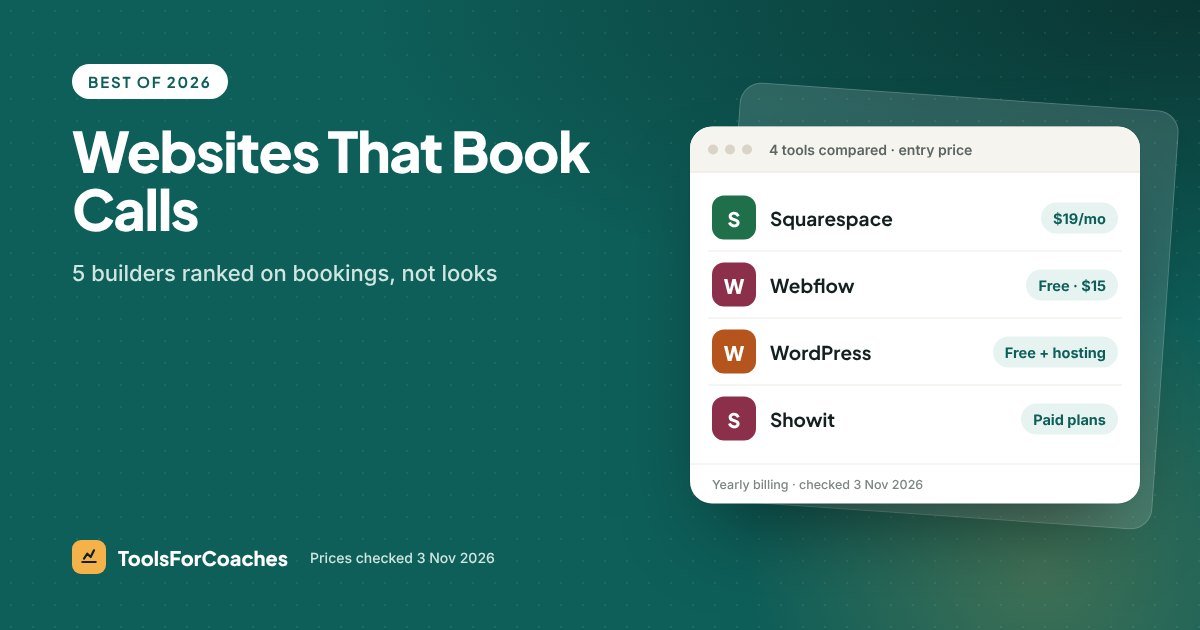
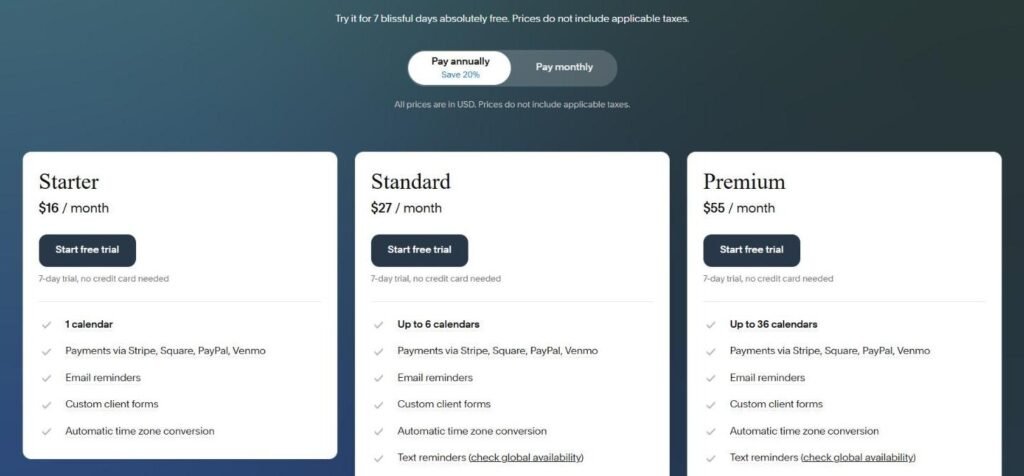
Price: Basic $19/mo on yearly billing (US pricing; it varies by country). Add Acuity Scheduling Starter at $16/mo yearly for booking with payments.
One-line verdict: the shortest path from “no website” to “booked call” for most coaches.
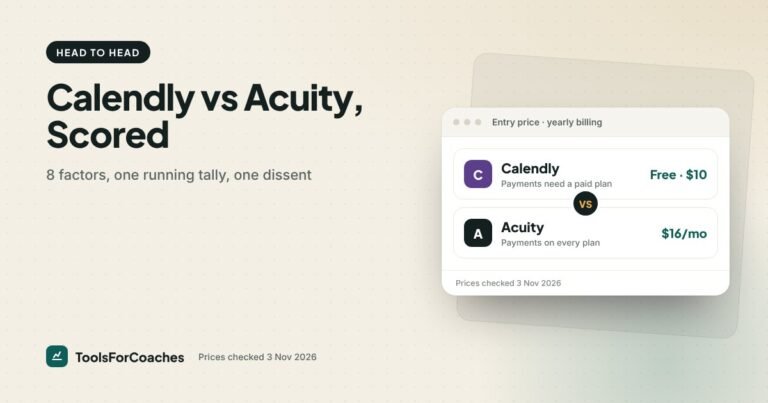
Squarespace wins here for one big reason: it owns Acuity Scheduling. That means the booking tool and the website come from the same company. You can put an Acuity calendar right on your page, and clients can book and pay without leaving your site. Acuity collects payments through Stripe, Square or PayPal on all its paid plans.
The templates are clean and hard to break. Even if you have no eye for design, it’s difficult to make a Squarespace site look bad. For a coach, that matters. Your site needs to look trustworthy, not clever.
What you’ll pay, roughly:
- Site only: $19/mo on Basic (US pricing).
- Site + Acuity Starter: $35/mo on yearly billing. Starter gives you 1 calendar.
- Site + Acuity Standard: $46/mo, if you want text reminders, packages or memberships, which start on Standard.
One thing to watch. Squarespace Basic charges a 2% transaction fee on store sales. If you plan to sell products or digital downloads through the Squarespace store itself, that fee adds up. The Core plan removes it and adds code injection, but costs more. Check the exact Core price on the vendor page. For most coaches who just book calls through Acuity, Basic is fine.
Skip it if: you want full design control down to the pixel, or you plan to run a big content site with hundreds of blog posts. You’ll feel boxed in.
For a full head-to-head with the next pick, see our Squarespace vs Webflow for coaches story.
2. WordPress: best for coaches who want to own everything and grow through search
Best for: coaches who plan to blog seriously and want full ownership.
Price: software is free. Managed hosting commonly runs $10–30/mo. Add a free scheduler like Cal.com, which includes payments on its free plan.
One-line verdict: the most flexible and often the cheapest, if you’re willing to learn or pay for help.
WordPress runs a huge share of the web for a reason. You own your site. You can move hosts any time. There’s a plugin for nearly everything, and its blogging tools are excellent. If your plan is to get clients from Google searches, WordPress gives you the most control over SEO.
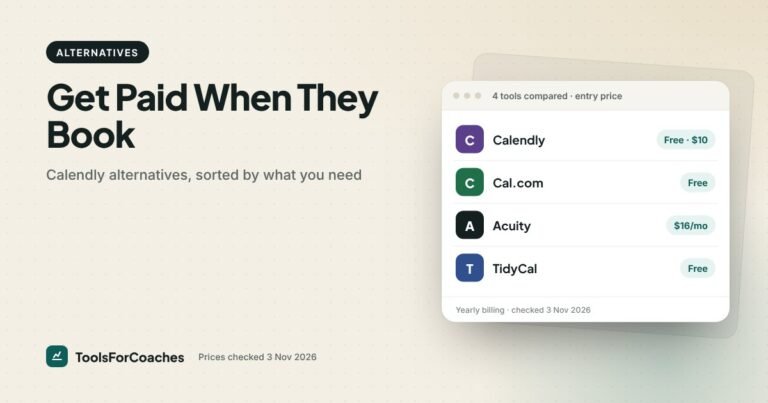
For booking, the simplest route is to embed a scheduler. Cal.com’s free plan includes unlimited event types and built-in payments, so you can take a paid booking for $0 in software. Calendly works too, but taking payment needs a paid plan, Standard at $10/seat/mo yearly.
Your true cost depends on hosting:
- Low end: about $10/mo hosting + Cal.com free = about $10/mo.
- High end: about $30/mo managed hosting + Calendly Standard $10 = about $40/mo.
Plus whatever you spend on a theme, and your time.
The catch is that time. WordPress has more moving parts than any other pick here. Updates, plugins, security, backups. Good managed hosting handles a lot of it, but you’re still the owner. When something breaks at 10pm, it’s your problem.
Skip it if: you hate tinkering and want a site that “just works.” Or you don’t plan to blog. WordPress’s big advantages are content and ownership. If you need neither, simpler tools win.
3. Webflow: best for design-minded coaches who’ll grow into a content site
Best for: coaches with design taste (or a designer) who want a custom look and a blog that scales.
Price: Starter free (webflow.io subdomain, 2 pages). Basic $15/mo yearly, 300 static pages, no CMS. Premium $25/mo yearly, with 40 CMS collections. Monthly billing costs more; check Webflow’s page.
One-line verdict: the most design freedom without code, but the slowest to learn.
Webflow is a professional design tool that happens to host websites. You can build almost any layout without writing code. The sites are fast and clean. For a coach with a strong brand, that’s appealing.
In May 2026, Webflow merged its old CMS and Business plans into a single Premium plan. Here’s what that means for a coach:
- Basic ($15/mo yearly) is enough for a simple site with a home page, about page, services and booking. No blog, because there’s no CMS.
- Premium ($25/mo yearly) is what you need the moment you want a blog, case studies, or any repeating content.
Webflow doesn’t own a scheduler, so you embed one. Cal.com free or Calendly Standard both work. A Webflow Basic site with Cal.com free costs $15/mo all in. Webflow Premium with Calendly Standard is $35/mo.
The catch is the learning curve. Webflow thinks like a designer. Boxes, classes, layouts. Many coaches open it, feel lost, and close it. If that’s you, hire a Webflow designer for the build and keep the editing simple. Our Webflow pricing guide breaks down each plan for a solo coach.
Skip it if: you want to build the site yourself this weekend and have never used a design tool. You’ll spend the weekend learning Webflow instead of launching.
4. Showit: best for visual, personality-led coaching brands
Best for: coaches whose brand is very visual, like many in wellness, lifestyle and creative coaching.
Price: paid plans only. Check the entry plan price on the vendor page. Add a scheduler on top.
One-line verdict: drag-and-drop design freedom without Webflow’s learning curve, at the cost of SEO depth.
Showit is popular with photographers and creative coaches. You drag elements anywhere on the page, a bit like designing a slide. That makes it easy to build something that looks very “you.” Its blog runs on WordPress behind the scenes, which helps if you want to write.
For booking, you embed a scheduler, the same as Webflow. Cal.com’s free plan with payments is the cheapest route.
Why fourth? Two reasons. First, freeform design means you build the desktop and mobile versions separately. That’s more work, and it’s easy to end up with a mobile page where the booking button gets lost. Since most visitors will be on phones, that’s a real risk to bookings. Second, a hybrid setup (Showit pages, WordPress blog) adds moving parts.
Skip it if: your brand is more “clear and professional” than “visual and personal.” Executive and career coaches will usually do better on Squarespace.
5. Kajabi: best for coaches who already run courses on Kajabi
Best for: coaches whose business runs on a course or membership, who want site, email and course in one bill.
Price: Kajabi Basic $143/mo yearly ($179 monthly). Includes 1 website, email marketing for up to 2,500 contacts, funnels, community, 5 products and 2 admin users. No Kajabi transaction fee when you use Kajabi Payments; check the surcharge if you plan to connect your own Stripe account.
One-line verdict: a fine website if you’re on Kajabi anyway, and far too expensive if you just need a site.
Kajabi isn’t really a website builder. It’s an all-in-one course and marketing platform that includes a website. If you already pay for Kajabi to host your course and send your emails, using its website is a smart way to cut one tool. Your landing pages, checkout and emails all live in one place.
But compare the price. Kajabi Basic is $143 a month on yearly billing. A Squarespace site with Acuity booking is $35. If all you need is a site that books calls, you’d pay about four times as much for Kajabi.
Booking on Kajabi also isn’t its strength. For 1-to-1 calls, you’ll likely still embed a scheduler. Read our Kajabi pricing guide to see whether the bundle makes sense for you.
Skip it if: you don’t sell a course or membership, or you sell one but it isn’t your main income yet. Start cheaper and move later.
Side by side: true cost of a site that books calls
Here’s every pick with the booking tool you’d realistically pair it with. All on yearly billing.
| Builder + booking | Site cost/mo | Booking cost/mo | Total/mo | Takes payment at booking? |
|---|---|---|---|---|
| Webflow Basic + Cal.com Free | $15 | $0 | $15 | Yes |
| WordPress + Cal.com Free | ≈$10–30 hosting | $0 | ≈$10–30 | Yes |
| Squarespace Basic + Acuity Starter | $19 (US) | $16 | $35 | Yes |
| Webflow Premium + Calendly Standard | $25 | $10 | $35 | Yes |
| Showit + Cal.com Free | Entry plan [check vendor] | $0 | Entry plan | Yes |
| Kajabi Basic (site + email + courses) | $143 | Embed a scheduler | $143+ | Via scheduler |
Notice that the cheapest option isn’t my top pick. Webflow Basic with Cal.com is just $15 a month, but it takes the most skill to set up. Squarespace with Acuity costs $20 more a month and gets most coaches live in days, not weeks. That speed is worth a lot when you’re trying to book your first clients.
How hard is it to leave each builder?
Lock-in was the last item in my ranking, and it’s the one coaches think about least. You won’t care on launch day. You will care in two years, when your business has changed and your site hasn’t kept up.
| Builder | What leaving looks like | Lock-in |
|---|---|---|
| WordPress | Move your files and database to a new host. Your site stays the same. | Low |
| Squarespace | Blog posts can be exported. Page designs have to be rebuilt elsewhere. | Medium |
| Webflow | You can export code on paid plans, but CMS content needs work to move. | Medium |
| Showit | The blog side is WordPress, so it moves. The designed pages don’t. | Medium |
| Kajabi | Site, emails, courses and funnels all need moving at once. | High |
Here’s the practical takeaway. Whatever builder you choose, buy your domain name separately, from a domain registrar, not bundled inside the builder. Then if you ever switch, you just point the domain at the new site. Your booking links, email address and Google ranking all follow you. It’s a small step that saves a big headache.
Kajabi’s high lock-in isn’t a reason to avoid it. It’s a reason to be sure before you go all in. If Kajabi runs your whole business, the bundle is the point. Just know that leaving means moving everything.
Your launch week checklist
Whichever pick you go with, this is how I’d spend the first week. Even the best website builder for coaches won’t book a call until the basics are in place. It works on any of the five.
- Day 1: buy your domain and choose a template. Pick the plainest one that fits your brand. Plain books more calls than busy.
- Day 2: set up your scheduler with one event, a free discovery call. Connect your calendar so you can’t be double-booked.
- Day 3: write your home page. One line on who you help, three short points on how, and a booking button.
- Day 4: write your about and services pages. Keep each under one screen on a phone if you can.
- Day 5: embed the scheduler and test it on your phone. Book a call with yourself. Cancel it. Book again.
- Day 6: ask two friends to find and book a call without help. Watch where they hesitate.
- Day 7: fix what they tripped on, then publish. Done beats perfect.
Five things that matter more than which builder you pick
Back to that zero-booking site. It wasn’t failing because of the builder. Here’s what actually moves booked calls, whichever tool you choose.
Put the booking button above the fold, on every page
Visitors shouldn’t have to scroll or hunt. A clear “Book a free call” button at the top of each page is the single biggest change most coaches can make.
Link to a calendar, not a contact form
A contact form adds a step and a wait. A calendar lets someone commit in under a minute, while they still feel the pull to talk to you.
Design for phones first
Most visitors will be on their phone. Check your booking button on a small screen. Is it big enough to tap? Does the calendar load properly? Test it yourself every time you change the site.
Say who you help, in one line
“I help new managers stop drowning in their first year” books more calls than “Empowering you to live your best life.” Be specific. The right people will feel seen. The wrong ones will leave, and that’s fine.
Keep it small at the start
A home page, an about page, one services page and a booking page. That’s enough. You can add a blog later. Many coaches would be better off with a single page and a booking link than a 12-page site. If you’re not sure you even need a full site yet, read does a coach need a website.
Watch out: a free scheduler’s booking page on its own can work as your first “website.” But if you want to rank on Google or build trust with a cold audience, you’ll want at least a simple site on your own domain.
Which website builder for which coach
Here’s the short version: the best website builder for coaches, by coach type.
- New coach, no design skills, wants to launch now: Squarespace Basic + Acuity Starter. About $35/mo.
- Coach planning to grow through blogging and SEO: WordPress with managed hosting + Cal.com free. About $10–30/mo.
- Coach with design skills or a designer, wants a custom brand: Webflow Basic to start, Premium once you add a blog.
- Visual, personality-led brand: Showit + Cal.com free.
- Course-first coach already on Kajabi: use Kajabi’s built-in site and skip a separate builder.
- Coach who sells only packages: consider a simple site plus a coaching tool like Paperbell, which handles booking, payment and contracts in one link. It isn’t a budget option at $97/mo or $970/yr, so weigh it against a free scheduler first. See our best scheduling software for coaches for more booking options.
What I’d do if I were starting a coaching website today
I’d pick Squarespace Basic and Acuity Starter. I’d build four pages in a weekend. I’d put a “Book a free call” button at the top of each one, linked straight to Acuity. I’d write one clear line about who I help. Then I’d stop fiddling with the site and spend my time getting people to it.
If, after six months, I was writing every week and getting traffic from Google, I’d think about WordPress or Webflow Premium for the blog. Not before. The best website builder for coaches is the one that gets you booked this month, not the one that might suit you in three years.
And if you already sell a course on Kajabi, don’t pay for a second site. Use the one you have.
Website builder for coaches FAQ
What is the best website builder for a life coach?
For most life coaches, Squarespace is the best starting point because it’s easy and connects directly to Acuity Scheduling for paid bookings. Basic is $19 a month on yearly billing (US pricing), and Acuity Starter adds $16. If you plan to blog heavily, WordPress gives you more control.
What is the cheapest website builder for coaches?
Webflow’s Starter plan is free but limited to 2 pages on a webflow.io address. For a real site on your own domain, Webflow Basic at $15 a month yearly, paired with Cal.com’s free plan for booking, is one of the cheapest setups that takes paid bookings.
Is Squarespace or Webflow better for a coaching website?
Squarespace is easier and faster to launch, and it pairs neatly with Acuity for booking. Webflow gives you more design freedom and scales better for a content-heavy site, but it takes longer to learn. Most solo coaches will launch faster on Squarespace.
Can I add booking and payments to my coaching website?
Yes. Squarespace pairs with Acuity, which takes payments on all paid plans. On any builder, you can embed Cal.com, whose free plan includes built-in payments, or Calendly, which needs a paid plan to collect payment.
Should a coach use Kajabi as their website?
Only if you already use Kajabi for courses or memberships. Kajabi Basic costs $143 a month on yearly billing and includes a website, email and courses. If you just need a site that books calls, a $19 Squarespace plan (US pricing) does that for far less.
Do I need WordPress for SEO as a coach?
No. Squarespace and Webflow both handle the SEO basics well enough for most coaches. WordPress gives you the most control and plugins, which matters if blogging and Google traffic are central to how you get clients.